Links
[slideshow:1]
[toc]
Project Information
- Interactive Light Installation. 09/2016.
- Undergraduate Independent Study Project.
- Exhibitor, “1ˢᵗ Kuan Du Light Art Festival (KDLAF)”, Taiwan.
- Materials/tools: Aluminum Structure / Glass Lampshades / Arduino / LED Printed Circuit Boards.
- Size: 300(H)*100(W)*100(D) cm.
Overview
Traffic signals like traffic lights are functional facilities that people avail themselves of on a daily basis. In Taiwan, pedestrians often see an electronic pedestrian crossing signal in the form of a little green man who keeps walking when they are allowed to walk. Even though this little green walking man is helpful to road users, a rising number of pedestrians would be looking at their cellphones while crossing the street. Such a distraction would make walking at traffic signals rather dangerous as a consequence.
The challenging task here has become how to make traffic signals more appealing in order to draw pedestrians’ attention to the traffic from their distracting electronic devices. In this project, I transformed dull everyday traffic signals into an attractive three-dimensional display (LED cube) public art installation based on the theory of the LED matrix panel. The aim of the project is to get animated traffic lights imbued with a sense of reality for pedestrians in order to make them more aware of immediate hazards from surrounding traffic.
Introduction
“Little Green Man,” a 2D animated traffic light system in Taiwan, was initially introduced in Taipei City in 1999, and was later implemented across the country in a few years [1]. The light displays an image of a little green man with a hat, animated in seven frames at varying speeds to suggest relative urgency. From my perspective, the 2D traffic signal looked monotonous, so I developed a three-dimensional matrix light installation as a public-art reinterpretation.
Since the traffic signal is part of everyday life in Taiwan, this alteration gives pedestrians a refreshing experience in their mundane walks in the city. “Keep Walking” puts Taiwan’s daily traffic at the crossroads in perspective. Ultimately, this artistic rendering of the traffic signal is intended to become not only a public artwork but also a reminder for pedestrians on busy streets to become more alert to traffic.
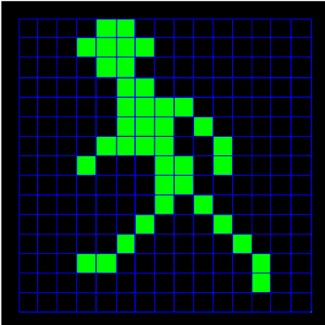
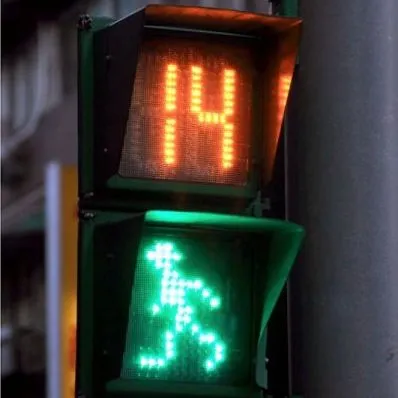
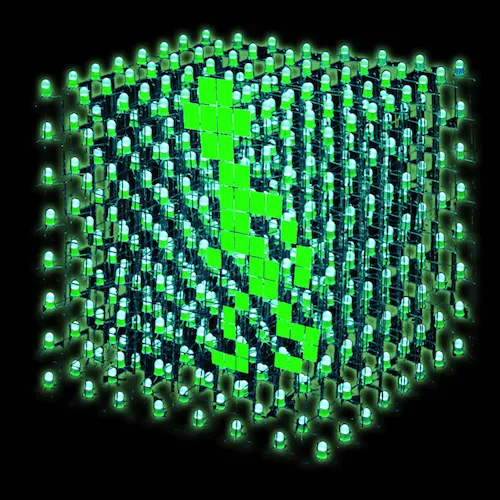
Figure 1. The image on the left shows the Taiwanese little green man at a traffic signal. The picture in the middle indicates that the little green man walks gradually faster in accordance with the amount of time left. The picture on the right is the three-dimensional version of the little green man simulated.
This light installation was an invited work exhibited outdoors on campus at Taipei National University of the Arts [2] during the “1ˢᵗ Kuan Du Light Art Festival (KDLAF)” from October 1 to October 29, 2016 [3] [4]. Unlike traditional lantern festivals [5], this exhibition featured the artistic nature of science and technological media as nighttime landscape art.
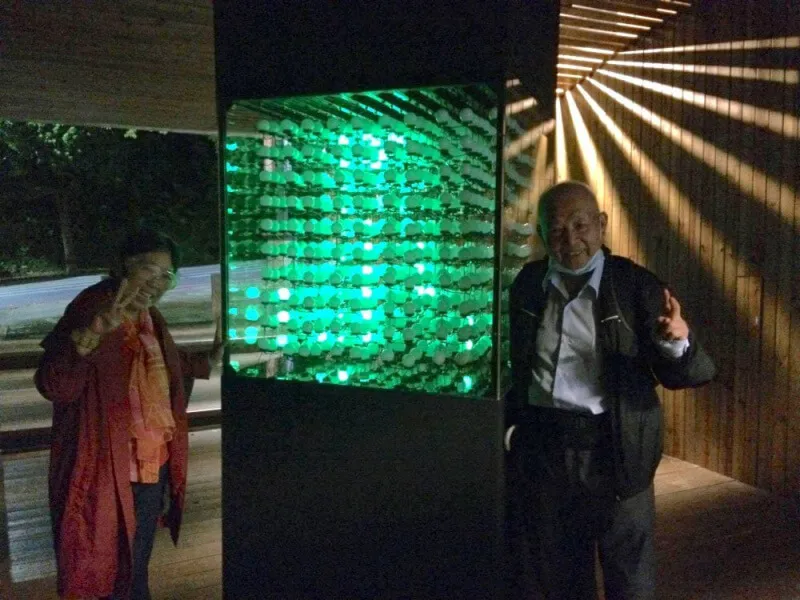
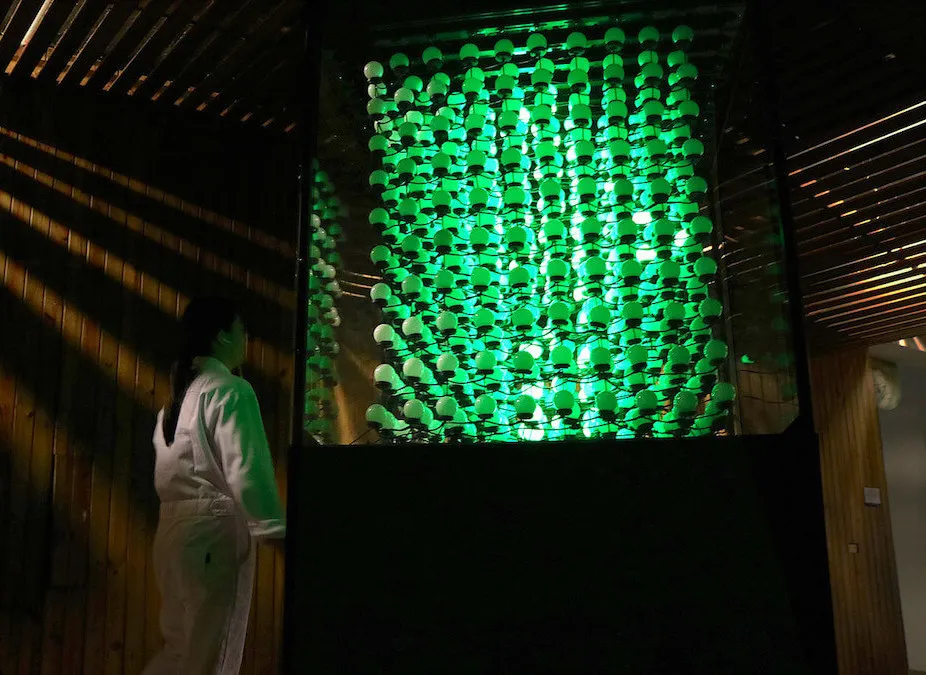
Figure 2. The installation had attracted different age groups during the exhibition.
Design
The “Little Green Man” recreated here is a 10x10x10 LED cube with 1000 green LEDs, organized as 10 layers (anodes) and 100 columns (cathodes), wired to two Arduino Mega boards based on the ATmega2560 [6]. The code controls individual LEDs and patterns to build animated light sequences visible from multiple directions without 3D glasses.
To achieve persistence-of-vision animation, I programmed the LED states and timing for each frame so static layers could be perceived as continuous motion. This works because human vision retains images briefly, enabling frame-to-frame continuity [7].
This cube has 1000 LEDs so that it is impossible to hook up I/O port(Input/Output port) to each LED. Since it is impractical to control 1000 I/O ports and run 1000 wires through the cube with a microcontroller, I have created animation activated by the LED cube based on an optical phenomenon called the persistence of vision (POV). As each layer of the LED cube flashes one after another, the image will stay on the audience’s retinas for a little while after the LED is off. It gives the illusion of an 3D image where viewers are actually looking at a series of 2D images stacked on top of one another, namely, multiplexing. With this setup, I only need 10 (for each anode layer) and 100 (for the cathode columns) I/O ports to control the cube shown in Figure 3. The LED cube is made up of columns and layers with anode legs of every LED in a layer soldered together, whereas all the cathode legs in one column are soldered together. Each of the 100 columns is connected to the Arduino Mega board with a separate electrical wire and can be controlled individually. Also, each of the 10 layers has a divided wire going to the controller board which turns the cube on and off as the current flows through each layer. As a High value is written to a digital pin in one layer, the current from the cathode columns can only flow through that layer, whereas the other layers are off because of the LOW value. Therefore, the image produced on the 100 cathode wires appears on the selected layer. In order to put the next layer on display, the LOW value is given to turn off the current layer and switch the image on the 100 cathode wires to that in the next layer. As the High value is enabled in the next layer and the current layer is thus turned off, the lights would go on and off at a very fast speed.
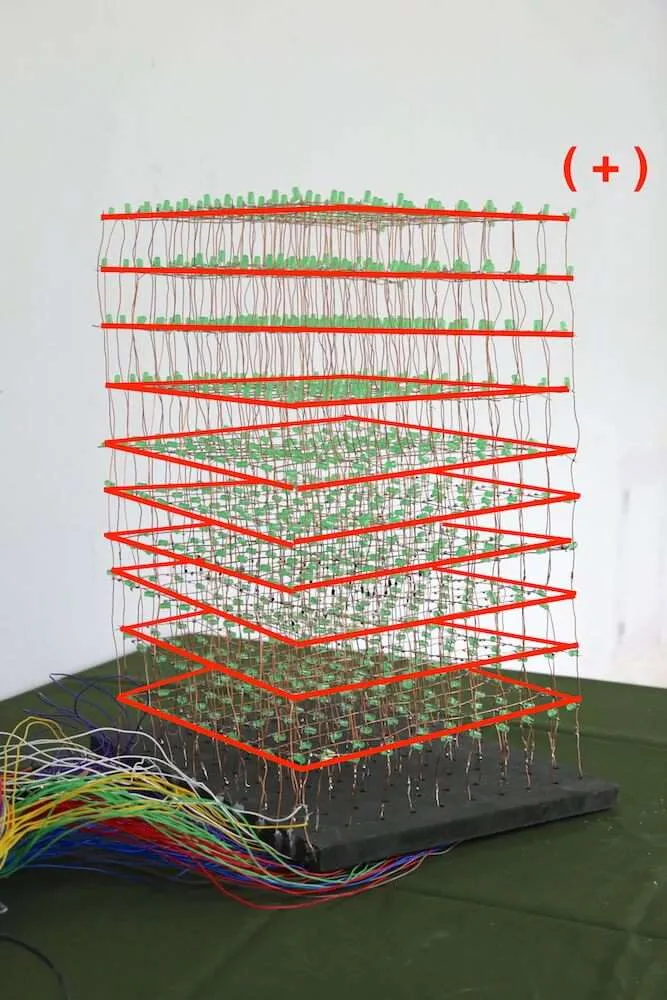
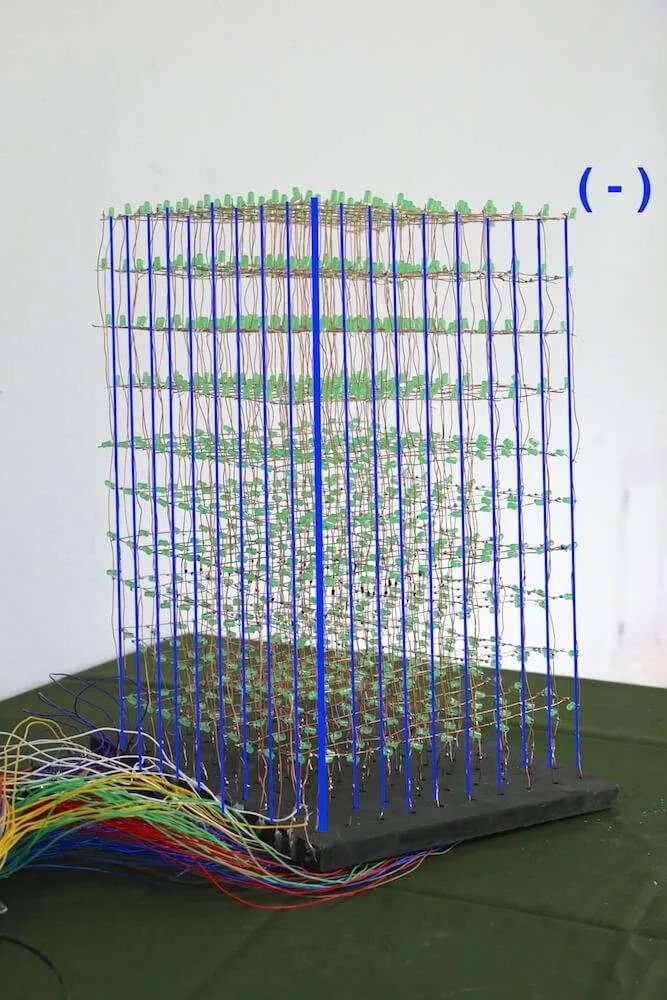
Figure 3. Red lines in the left image show 10 anode layers, whereas blue lines in the right picture illustrate 100 cathode columns.
In order to customize the animation I had planned for, I first used Unity3D, which supports both 2D and 3D development, to make a GameObject as a simulated animation [8]. By attaching a Rigidbody to the GameObject as a 3D character model, I was able to observe the interactions between the simulated little green man and particles in Unity3D. One thousand sphere particles were then created and arranged in a form of three-dimensional matrix with the specified numbers from 0 to 999. In order to get the numbers of the particles triggered by the character model, I wrote some scripts in C# to produce the triggered numbers as a list of each frame of the animation shown. After receiving the output data, I had to convert them into codes for Arduino. For the sake of making it more efficient for generating each number list of the frames, I constructed a website [9] in both HTML and JavaScript and used it as a tool for calculating and converting the output numbers from Unity3D to the codes [10] accessible for Arduino IDE.
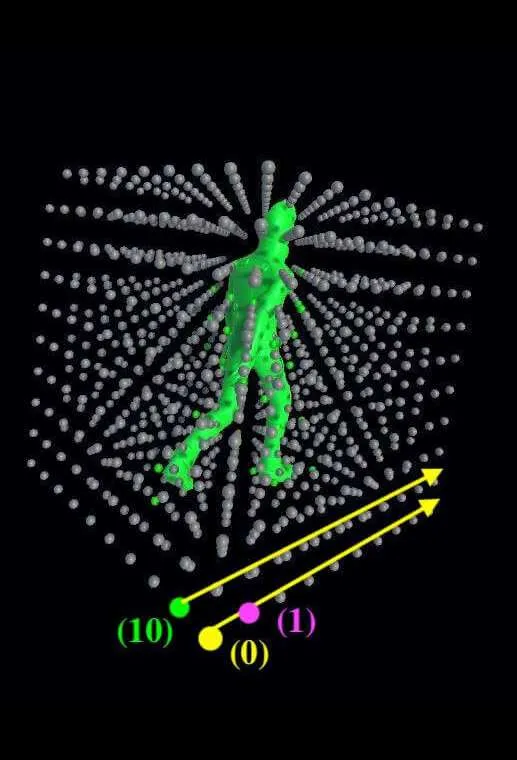
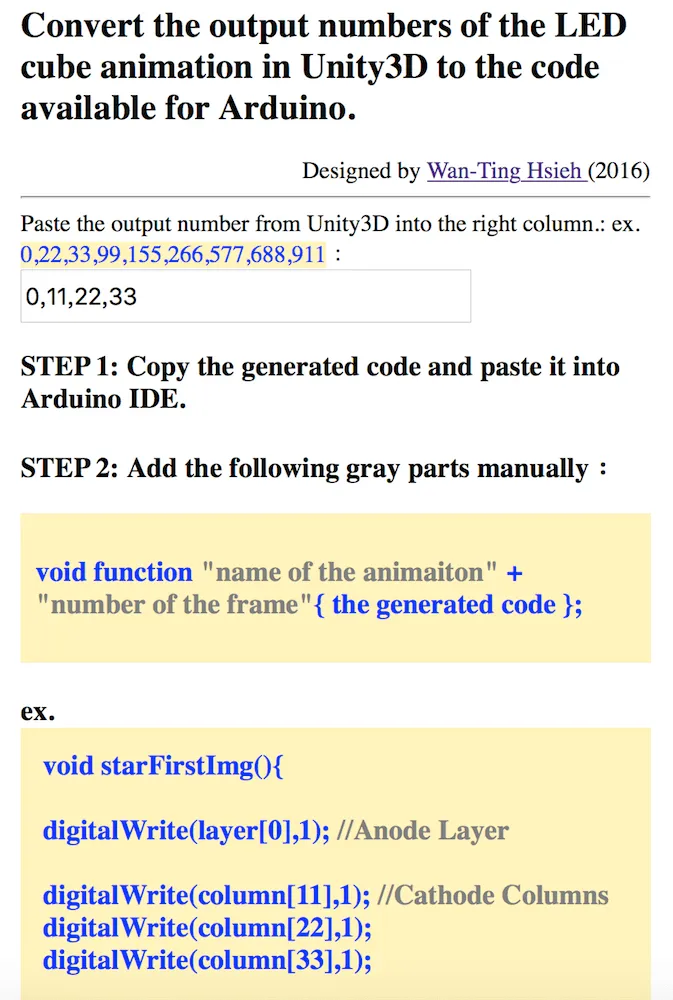
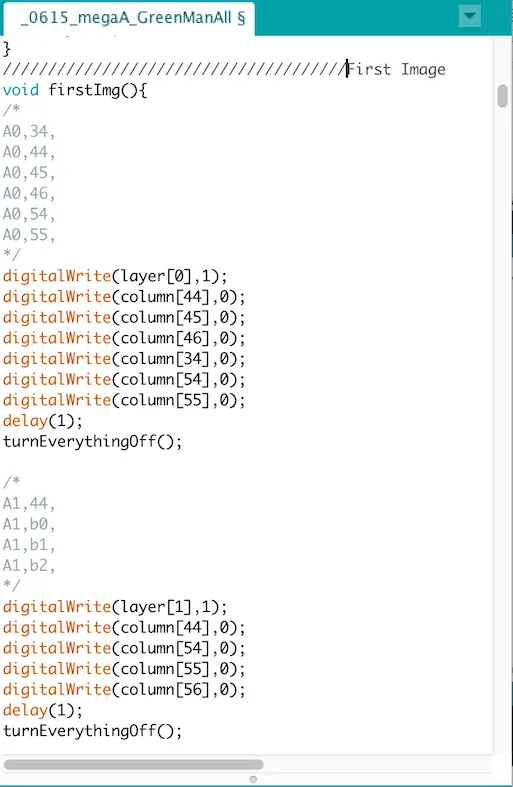



Figure 4. The figure indicates how animation is created in the form of an LED cube by using Unity3D and a custom conversion tool before transfer to Arduino IDE.
Mechanism and Construction
3D Green Man Cube (the prototype of “Keep Walking”)
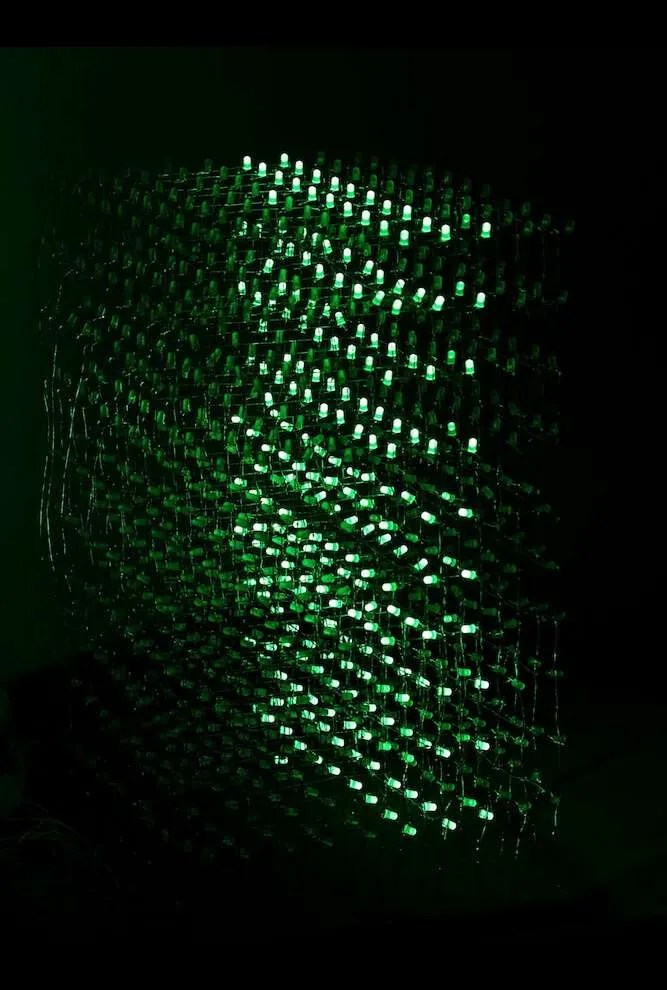
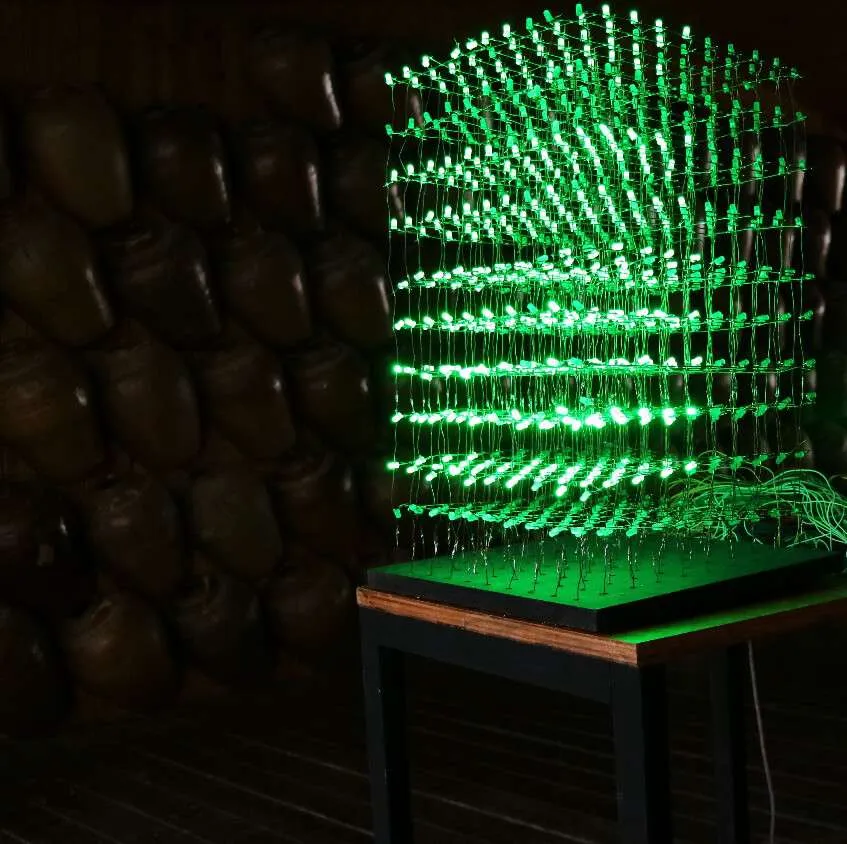
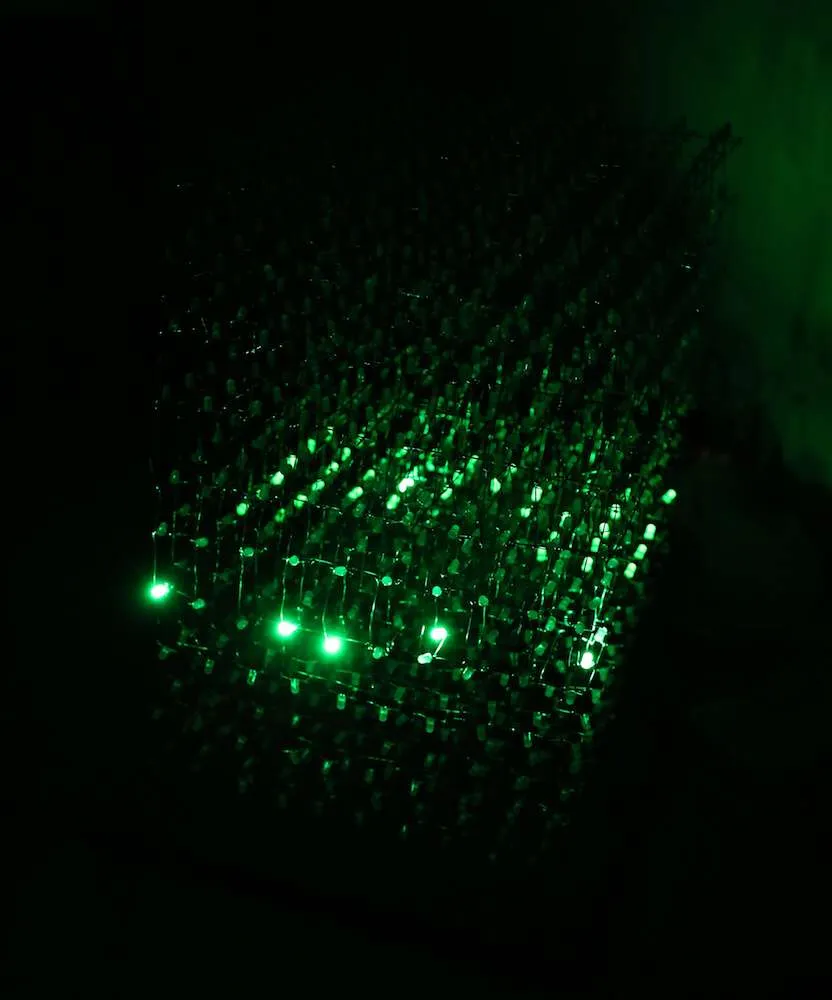
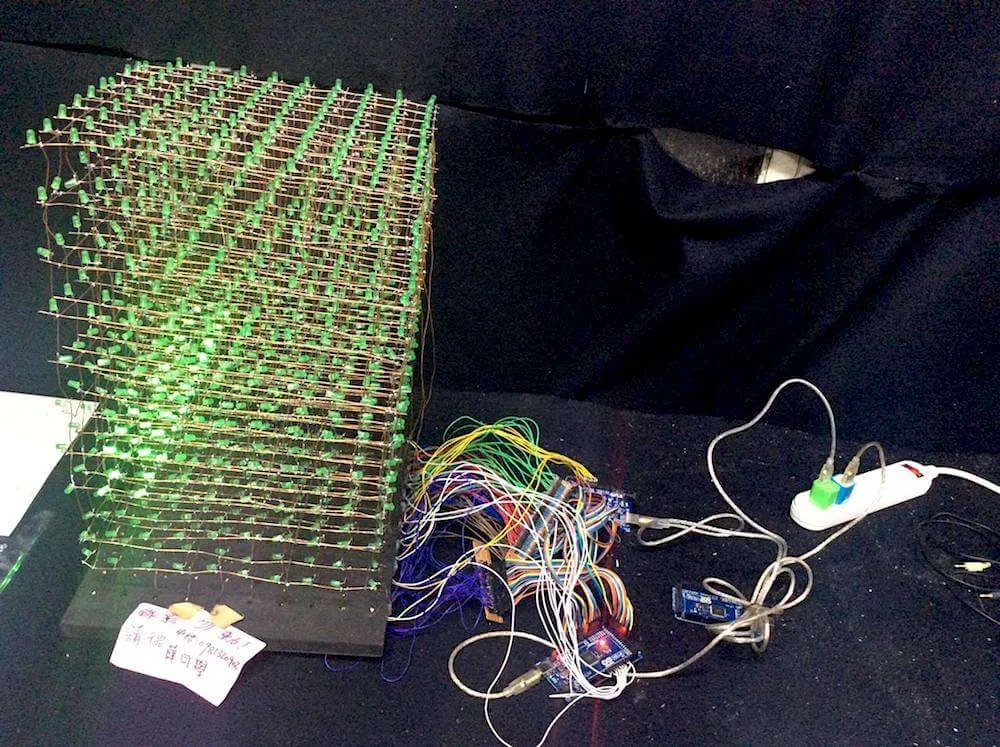
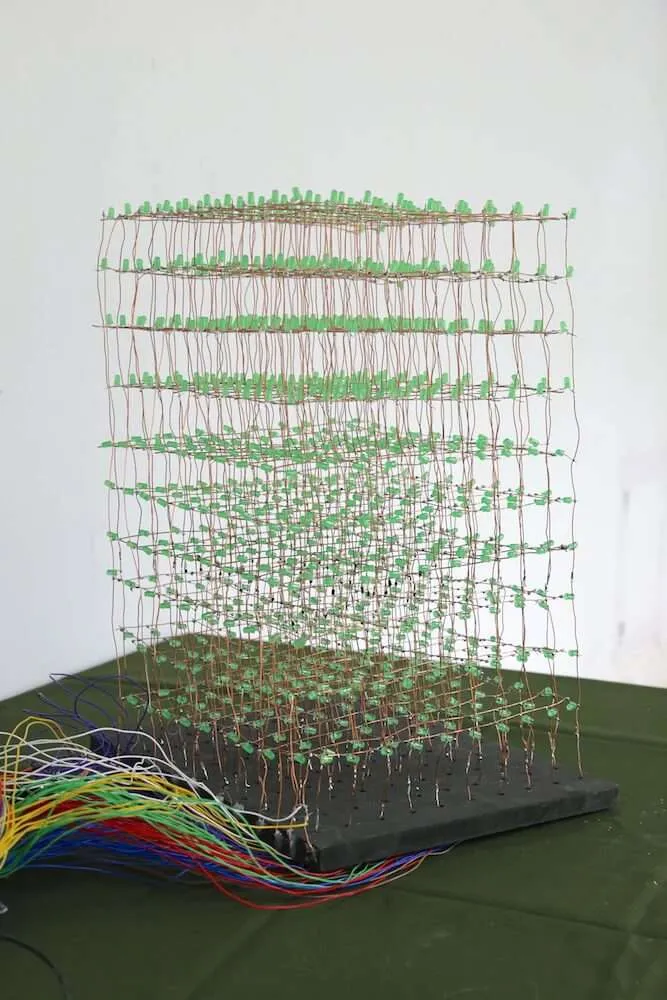
The Arduino system was used to construct a 10x10x10 LED cube prototype of the final public-art version, with a volume of about 30(H)*30(W)*30(D) cm.
[slideshow:2]
These images show the process of building a layer with 10x10 LEDs by inserting an LED into each drilled hole and soldering the LED pins to copper wires. The final row shows wiring connected to I/O ports of two Arduino Mega boards.
Keep Walking (public art version)
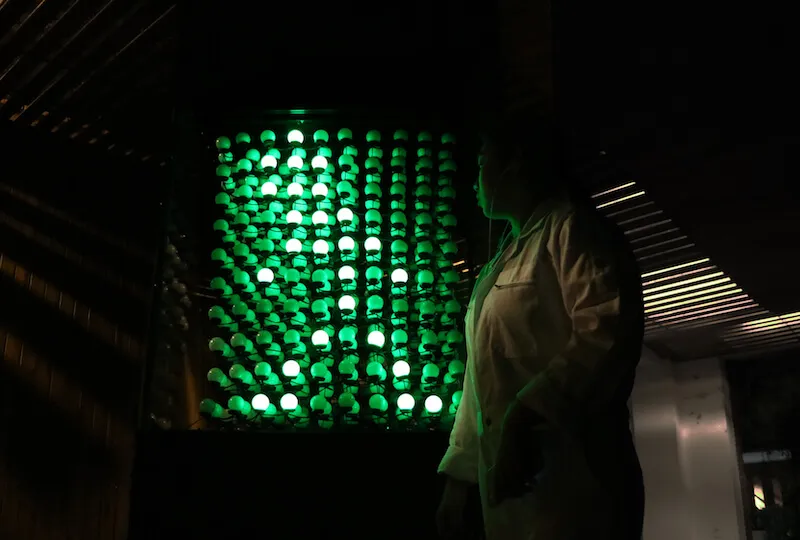
As an extension of “3D Green Man Cube,” “Keep Walking” is a larger aluminum-structure public artwork using 1000 glass lampshades, 1000 SMD LED PCBs, Arduino Mega 2560, 5 mm acrylic sheets, black protective sheets, and transparent shields. The installation volume is 300(H)*100(W)*100(D) cm and was placed at the Corridor of Wine Pots, one of the landmarks at Taipei National University of the Arts. The installation is three meters in height and one meter in width with the LED cube installed in the middle of the creation because that is the most suitable height for audiences to watch.
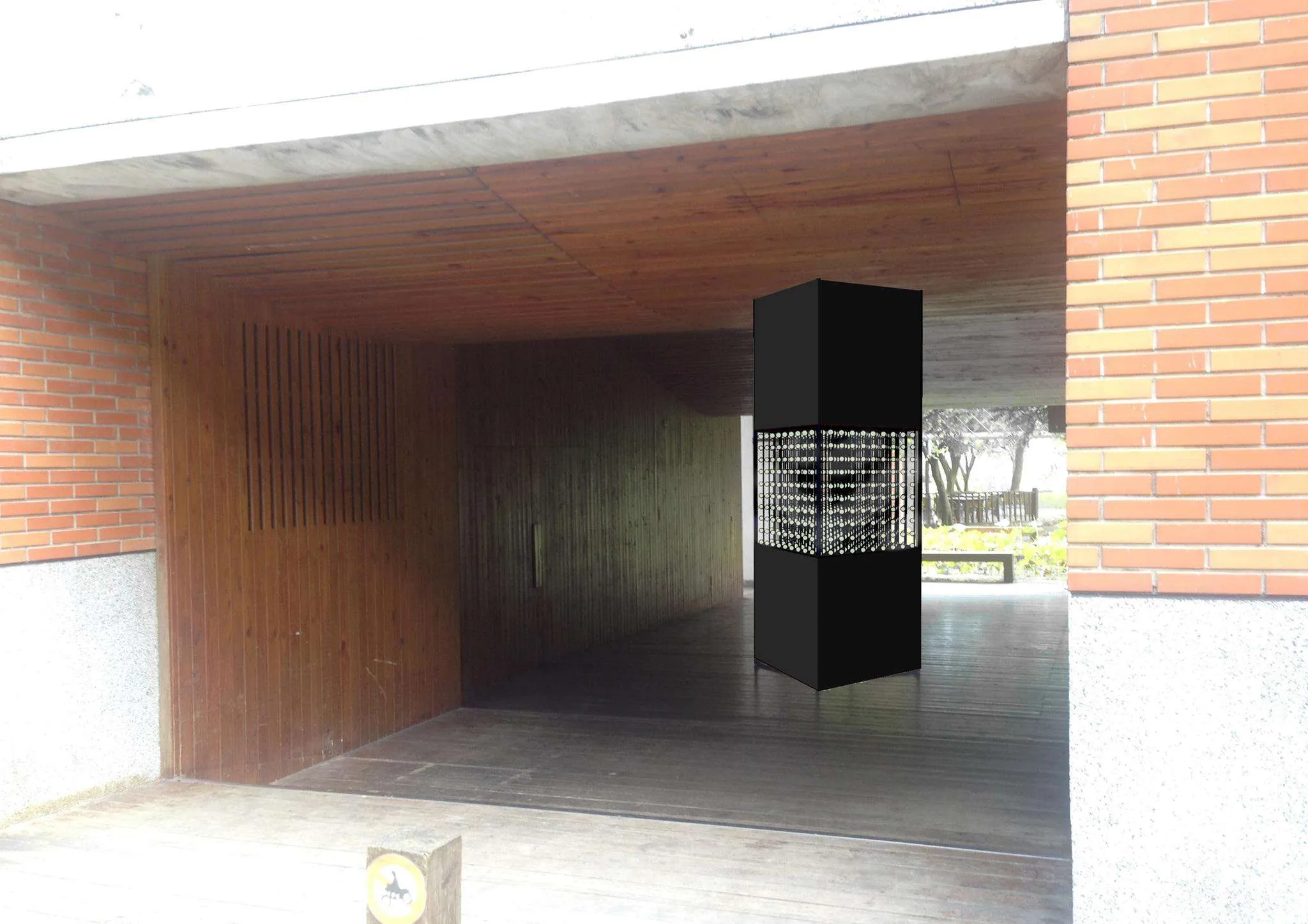
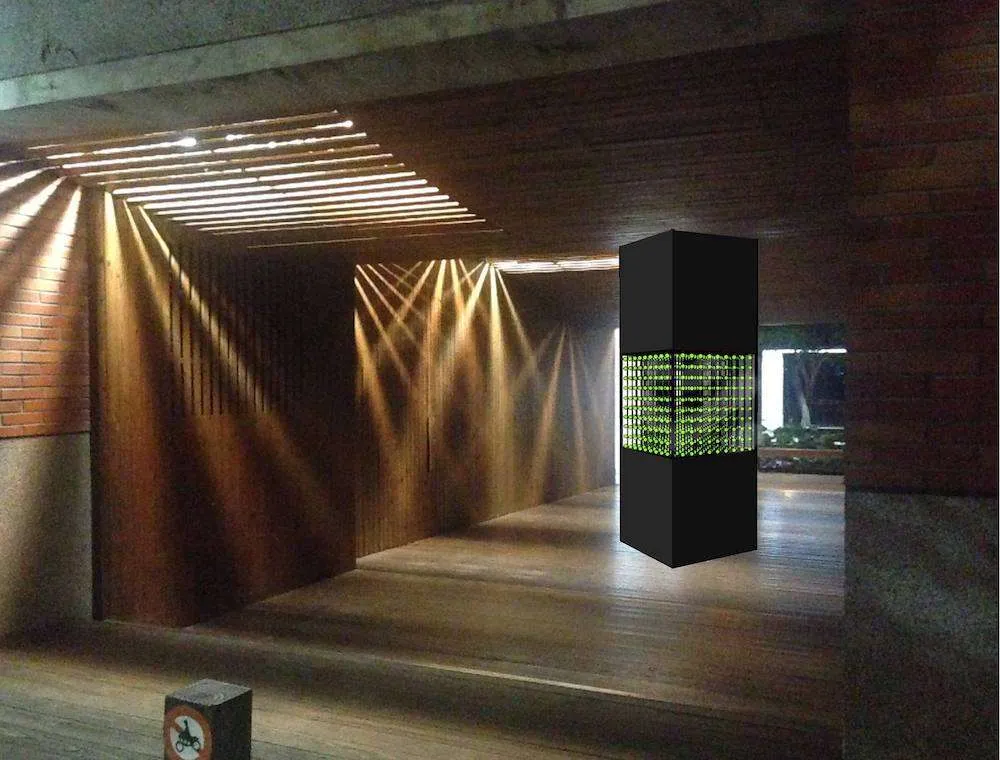
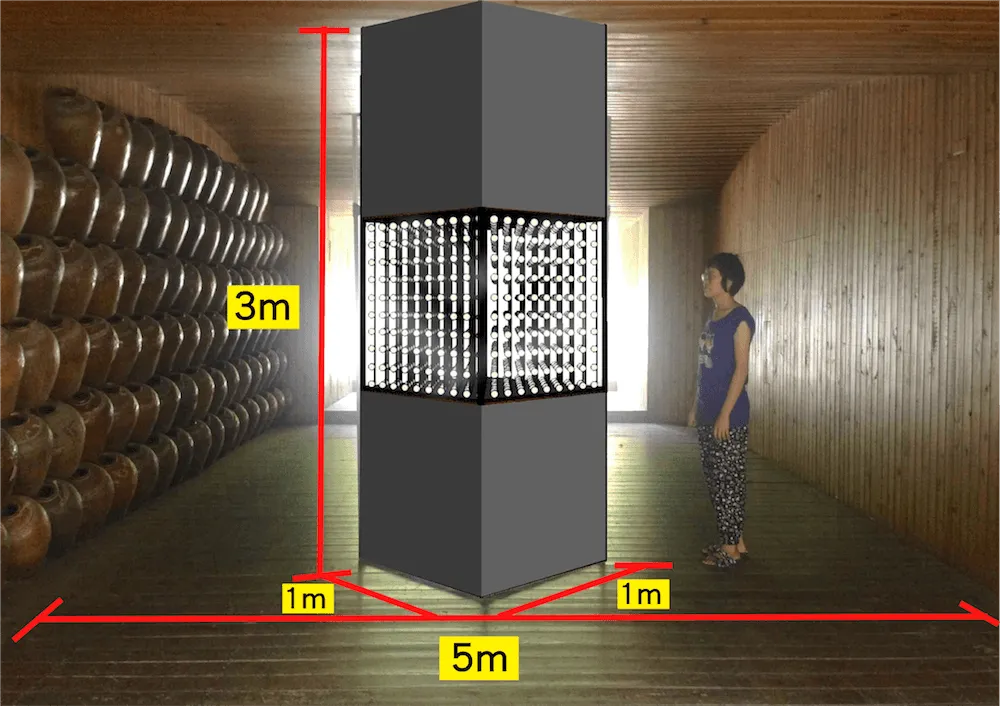
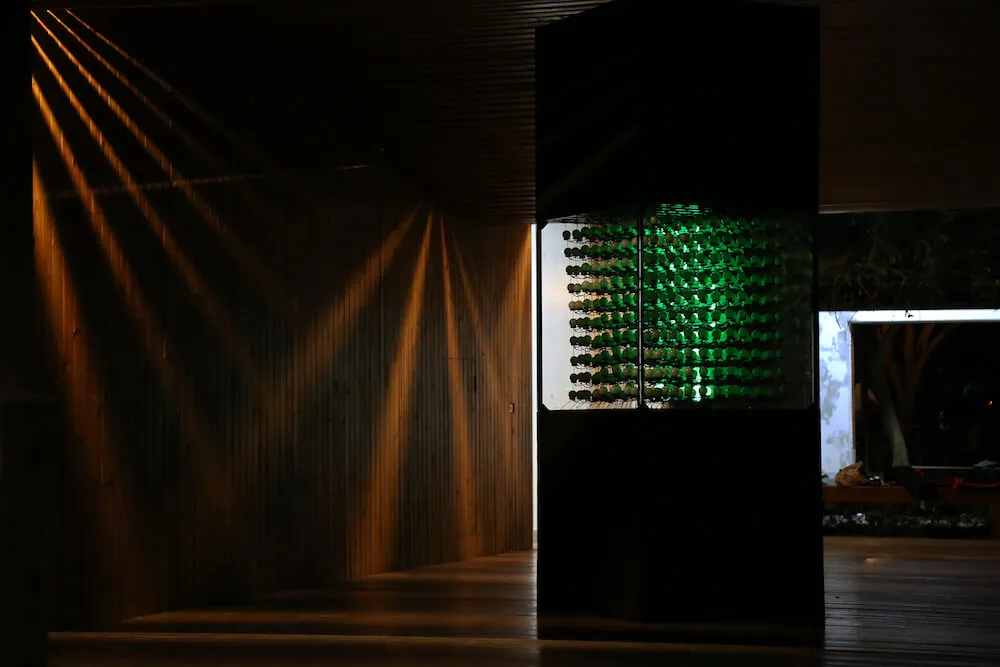
Figure 5. The schematic diagrams on the first row indicate the respective visual effects in the morning and at night. The image below is the actual installation.
The 1000 light points were created with 1000 SMD LED PCBs and 1000 glass lampshades. Each lampshade was laser-cut for cable threading. Since the whole installation is about 100 kilograms, it required 4 to 6 people to move. Incidentally, in 2016, before the installation was put on display at the first Kuan Du Light Art Festival (KDLAF), four strong typhoons, Meranti, Malakas, Megi and Aere [11], hitting Taiwan caused serious damage to many places. In order to protect the artwork from the storms, we moved the installation three times for about 100 meters from an open-air corridor to an indoor place.
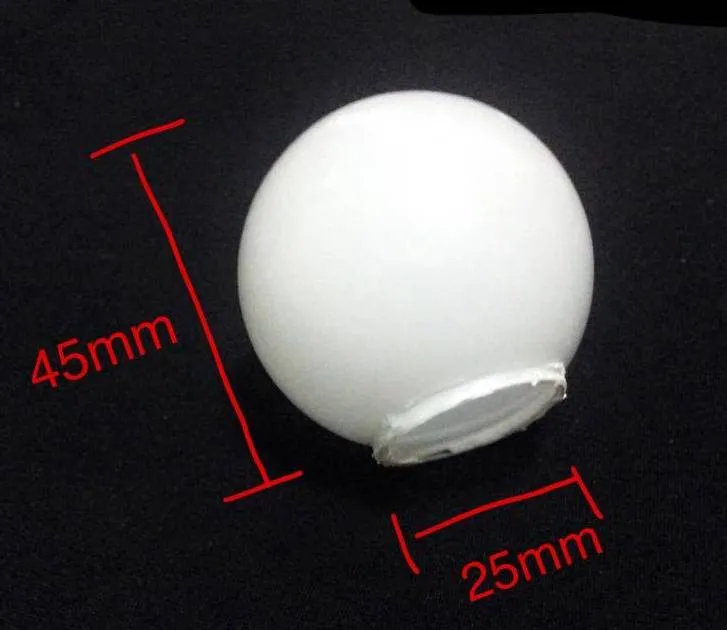
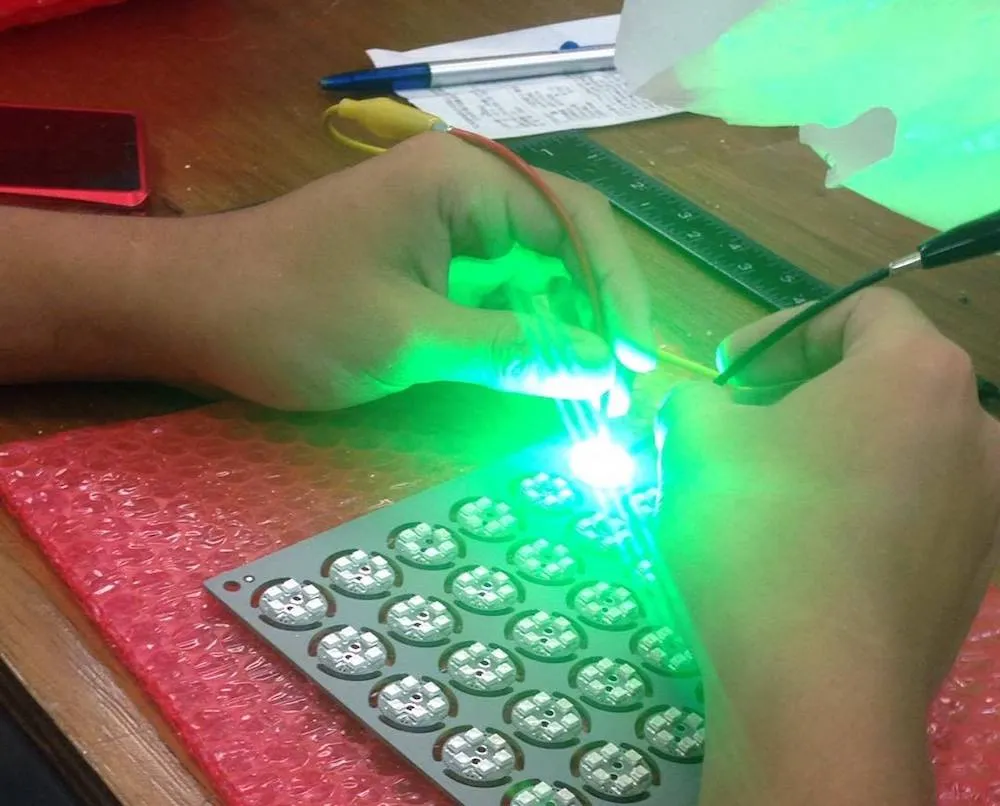
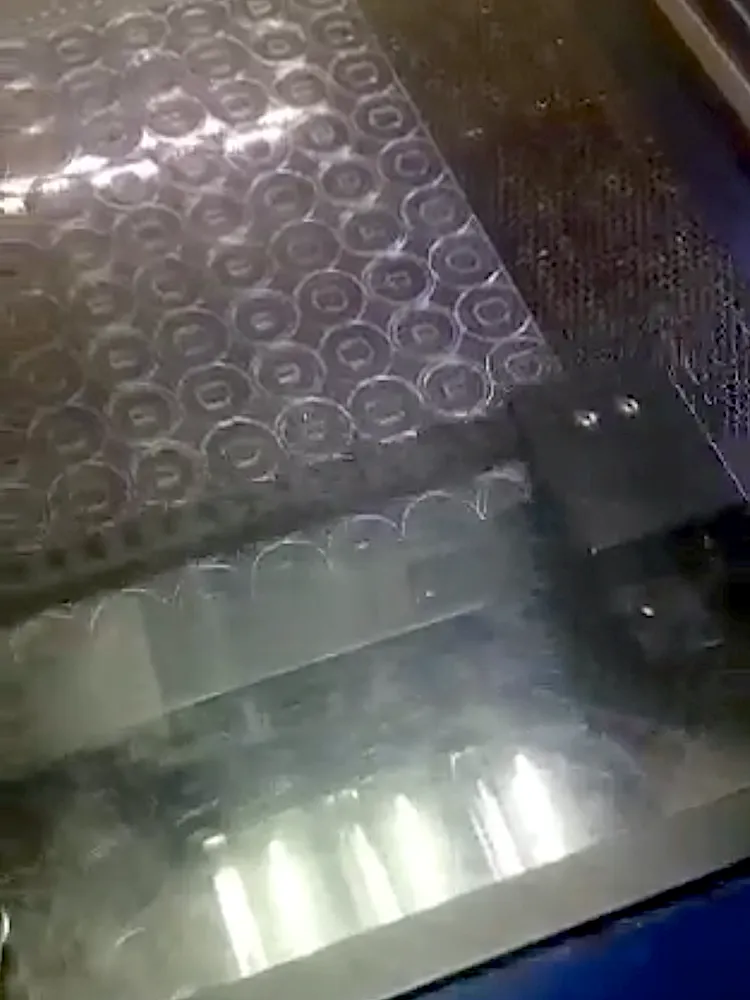
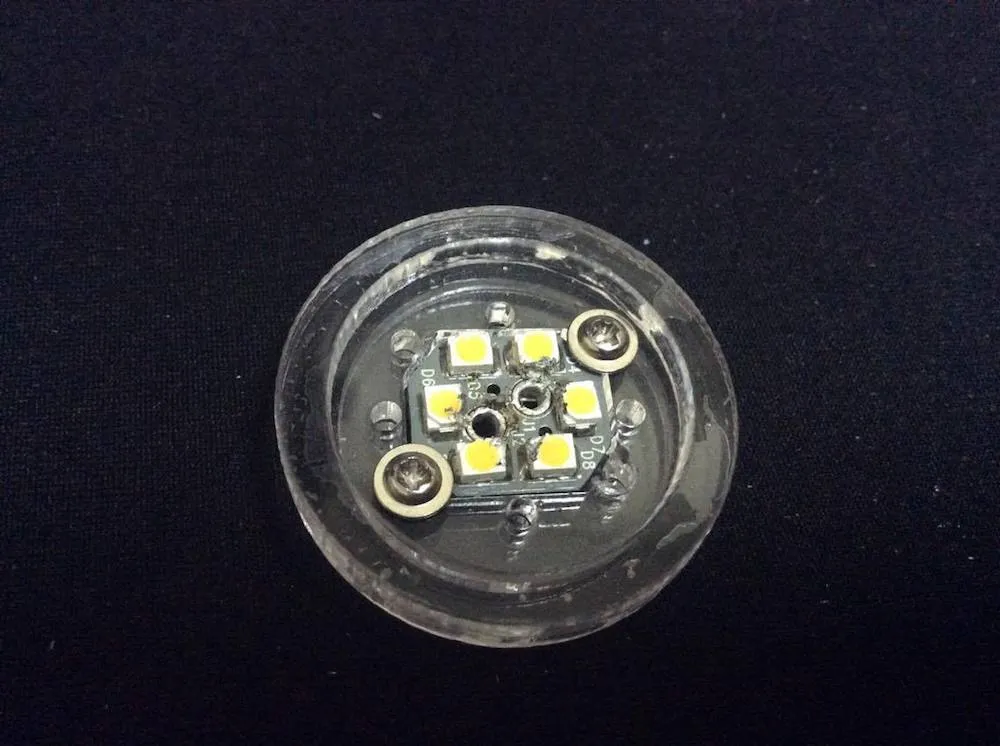
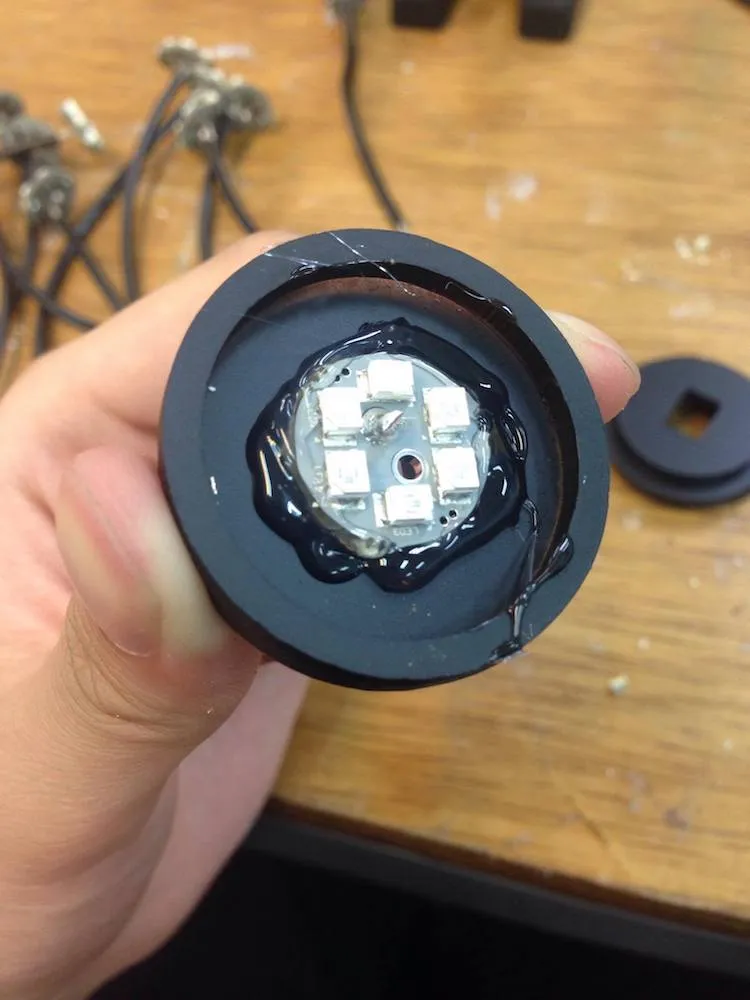
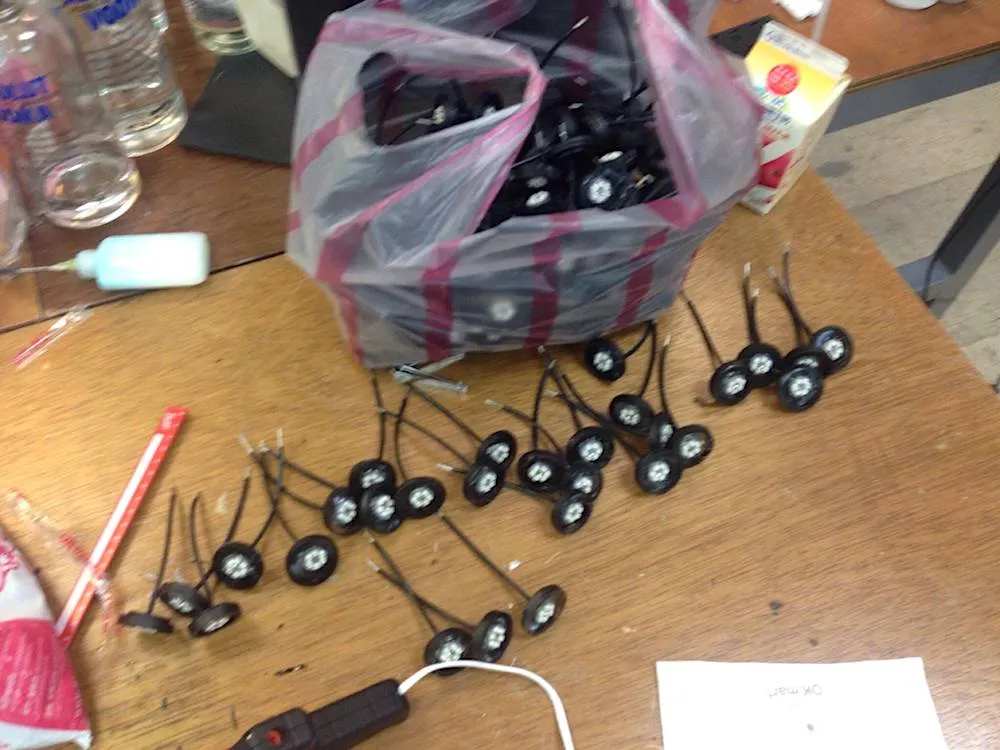
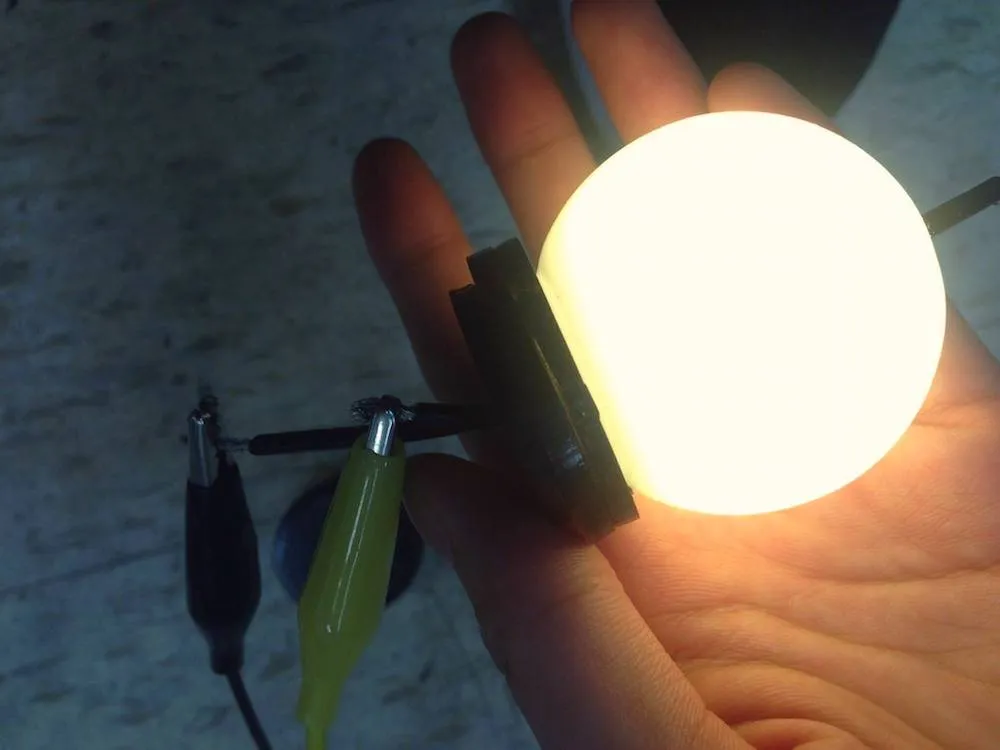
Figure 6. These photos show the bulb construction process. The image on top right indicates an acrylic base of a bulb cut by the laser machine with a piece of SMD LED PCB affixed by two screws. It is then sprayed black to make it lightproof.
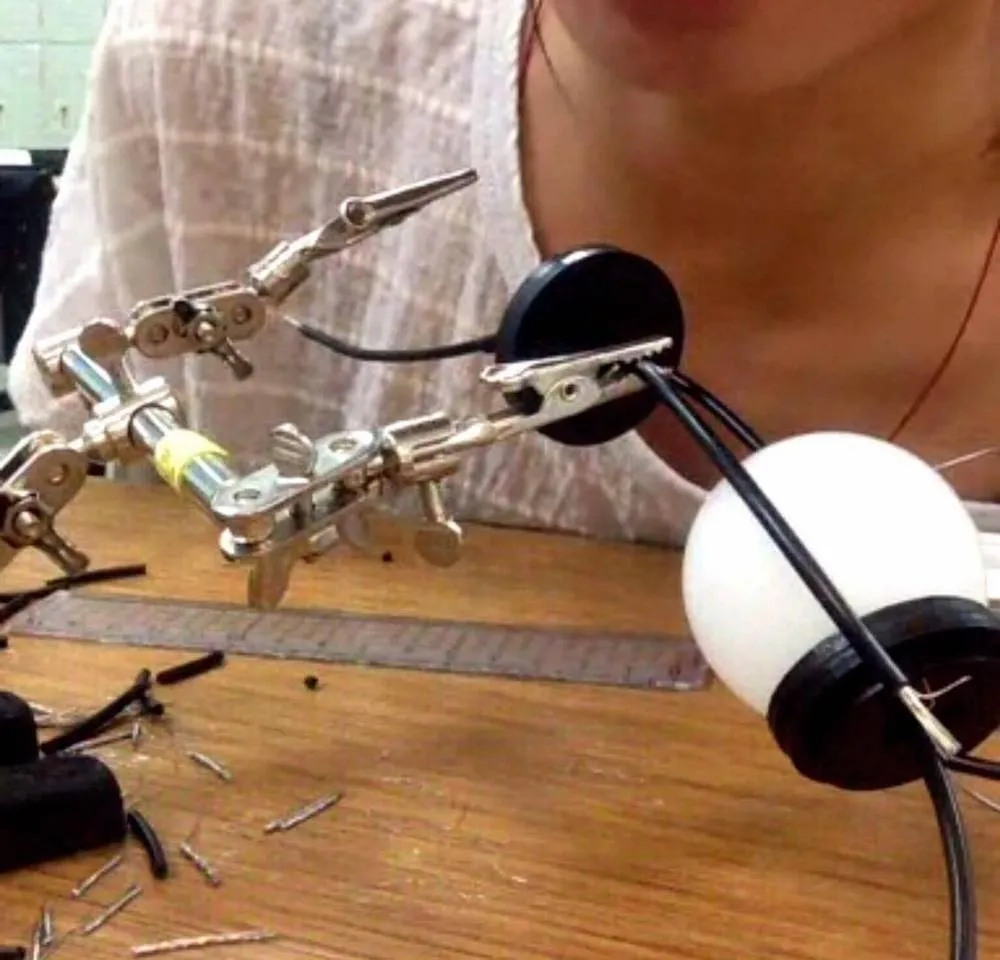
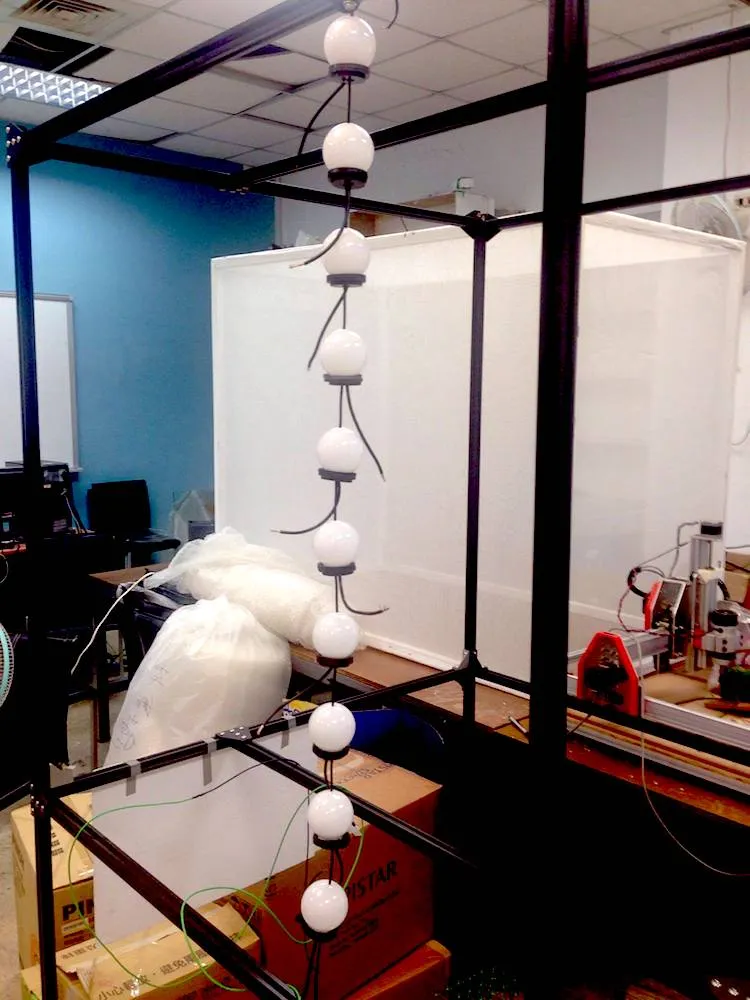
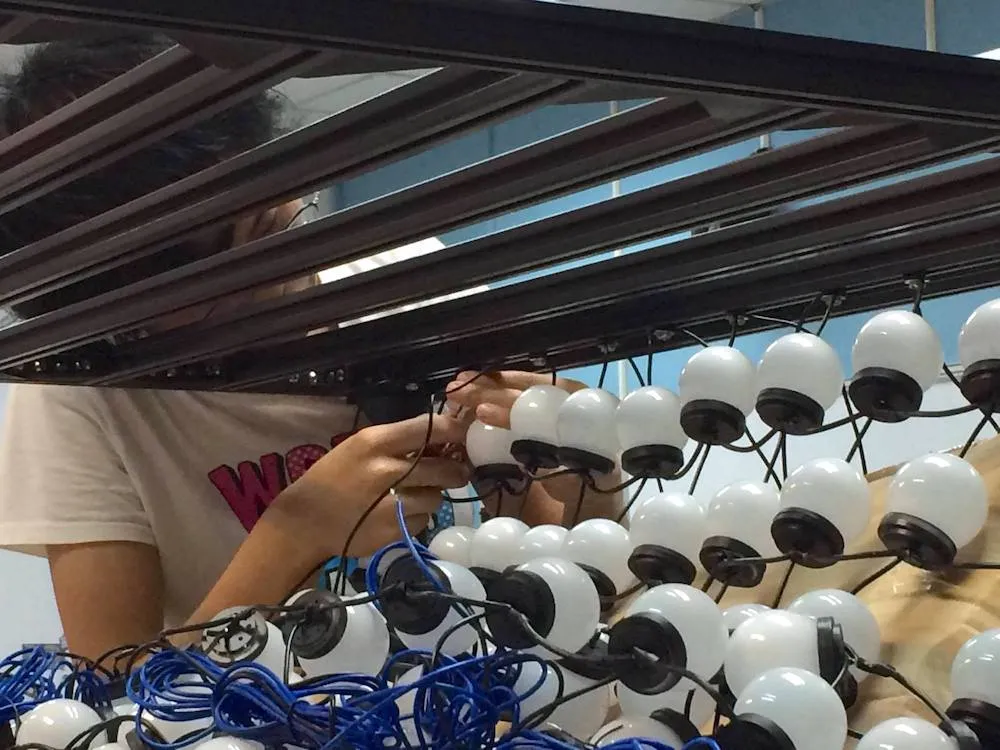
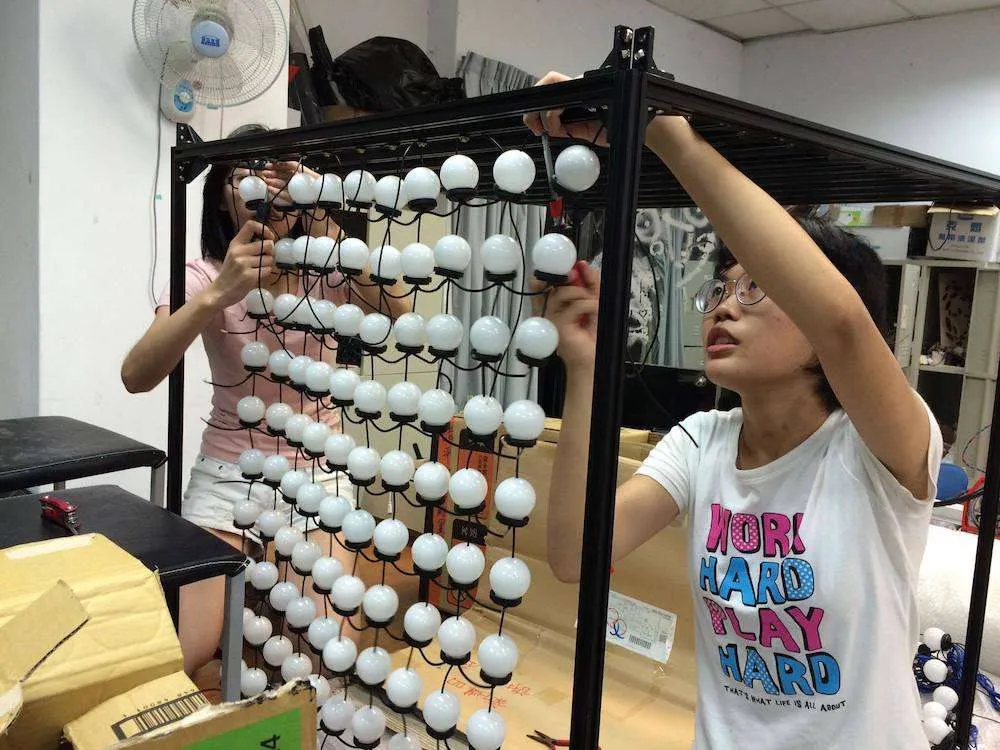
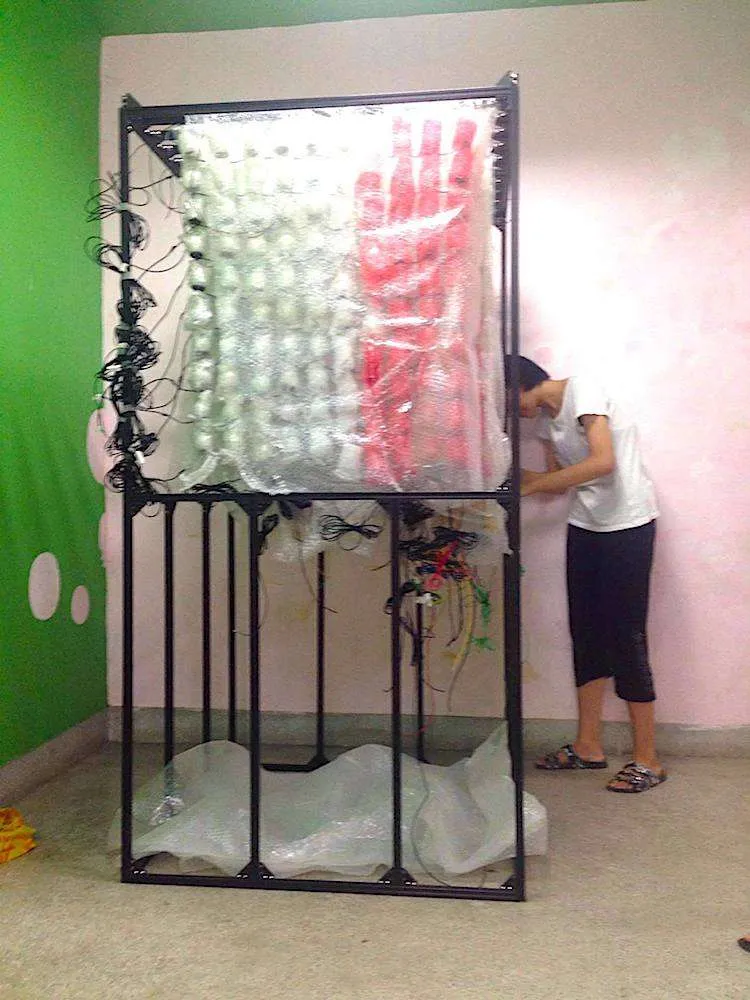
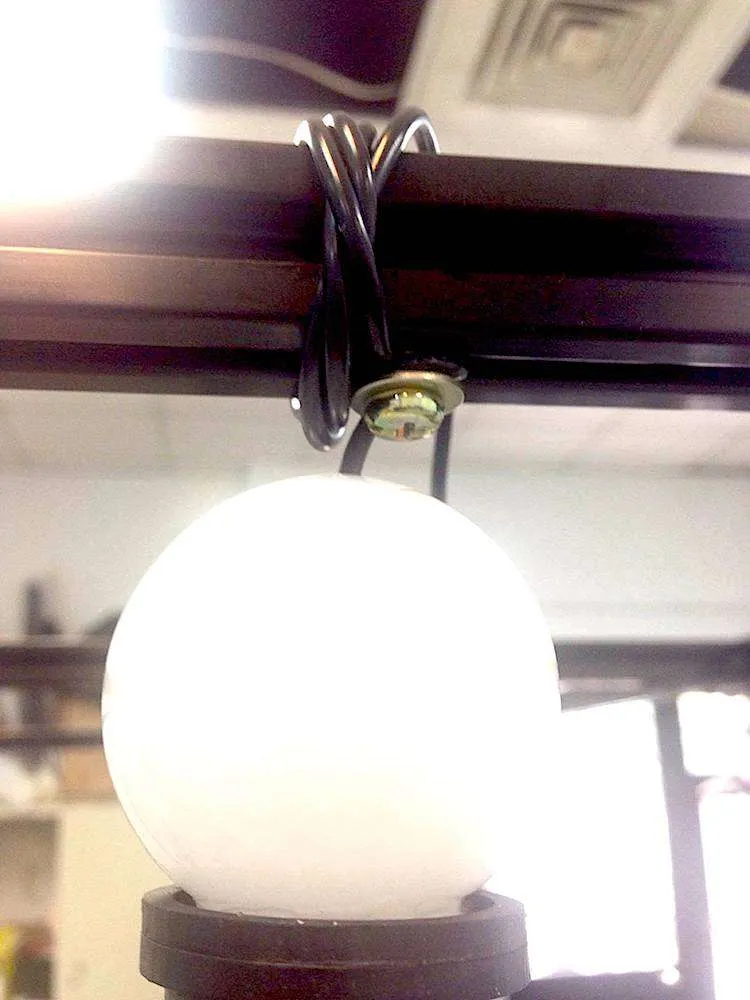
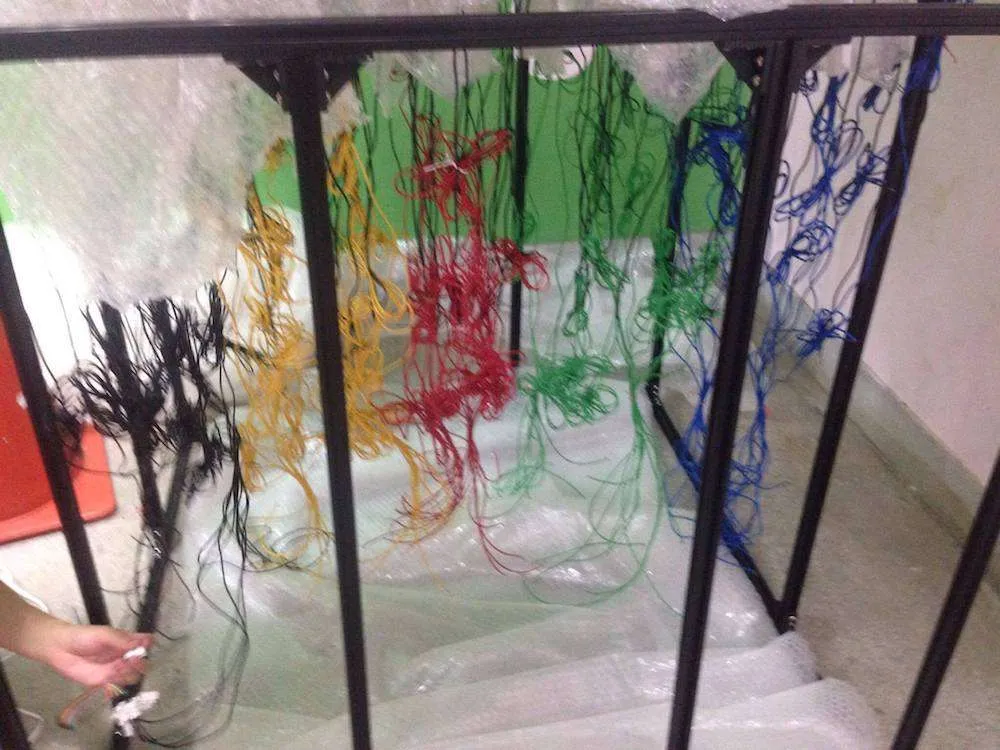
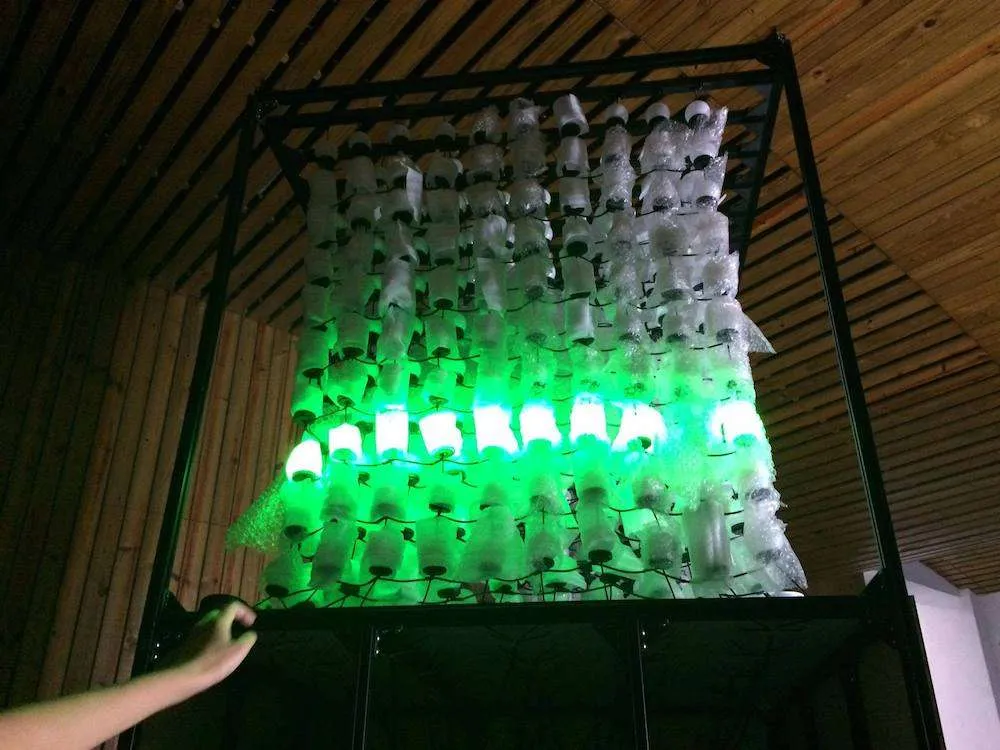
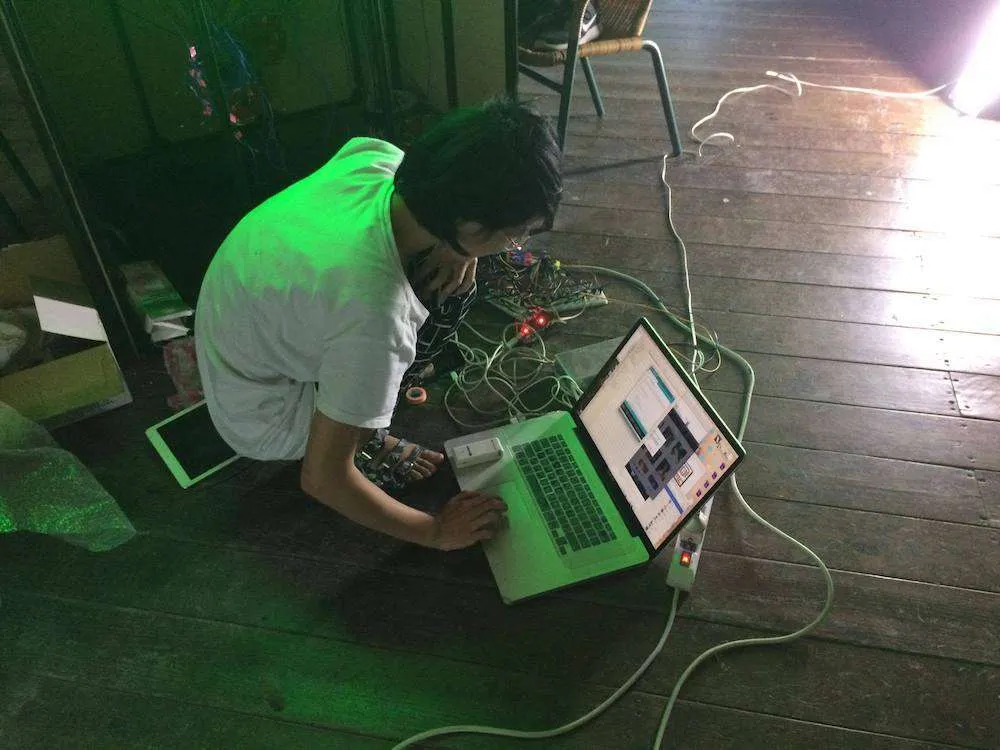
Figure 7. A line of 10 bulbs strung together and connected to a column pin of Arduino board is shown on top left. These bulb lines then were affixed to the aluminum extrusion structure with screws, washers, gaskets and nuts shown in the middle pictures on the first row. Different color electrical wires are used to classify specific layers of the cube. The installation is being tested by running the Arduino code to animate bulbs on different layers.
Flash (interactive tech-art performance version)
“Flash” is an interactive tech-art performance during “1st Kuan Du Light Art Festival (KDLAF).” This performance works with the Myo armband, a type of EMG sensors measuring electrical activities from people’s muscles to detect five gestures made by their hands. This device employs a 9-axis IMU, detecting the motion, orientation and rotation of one’s forearm. The Myo armband transmits this information over a Bluetooth Smart connection to communicate with its compatible devices [12]. In Figure 10, the professional dancer moves with the patterns of the light coming from the two installations behind her as she moves her body drastically with the Myo armband (This interactive technology was developed by Prof. Shih-Wei Sun.).
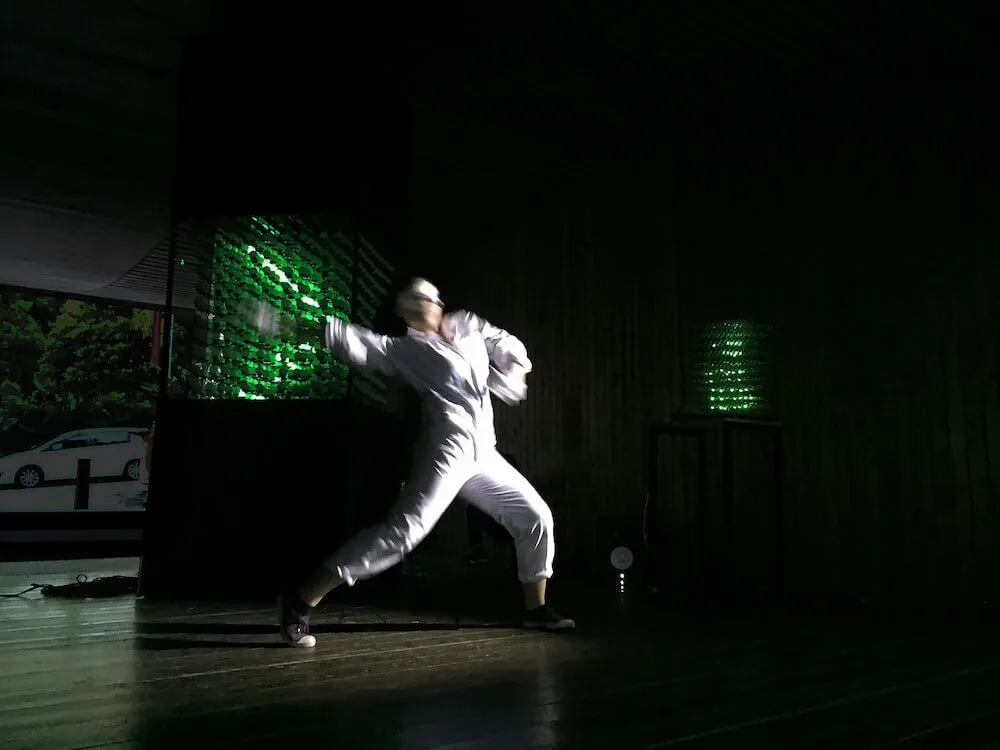
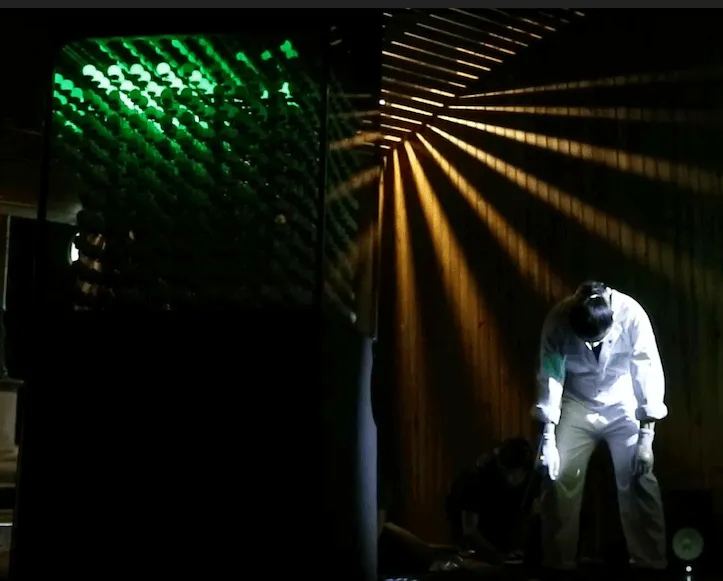
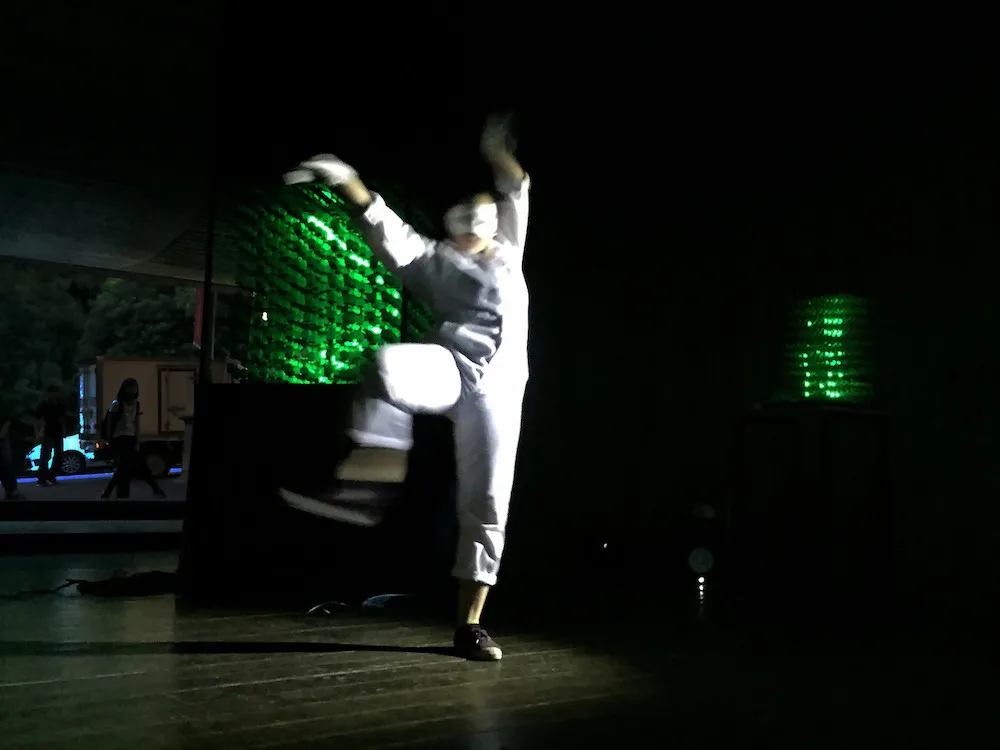
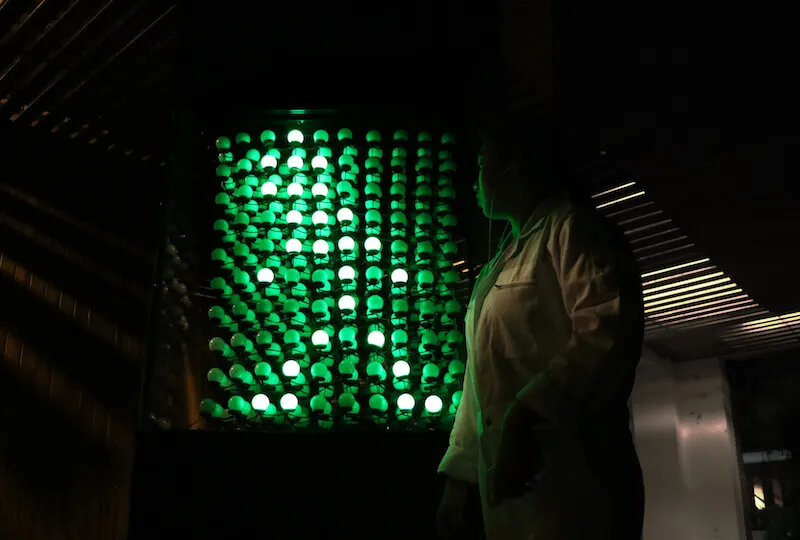
Figure 8. These images indicate how the dancer interacts with the two LED cubes behind her during the performance.
Workshop
We held a workshop [13] teaching visitors how to create LED cube animation during the festival. I supervised a session on building a 4x4x4 LED cube. Although participants were initially cautious about soldering, they became engaged and excited once their cubes lit up and simple animation ran successfully.
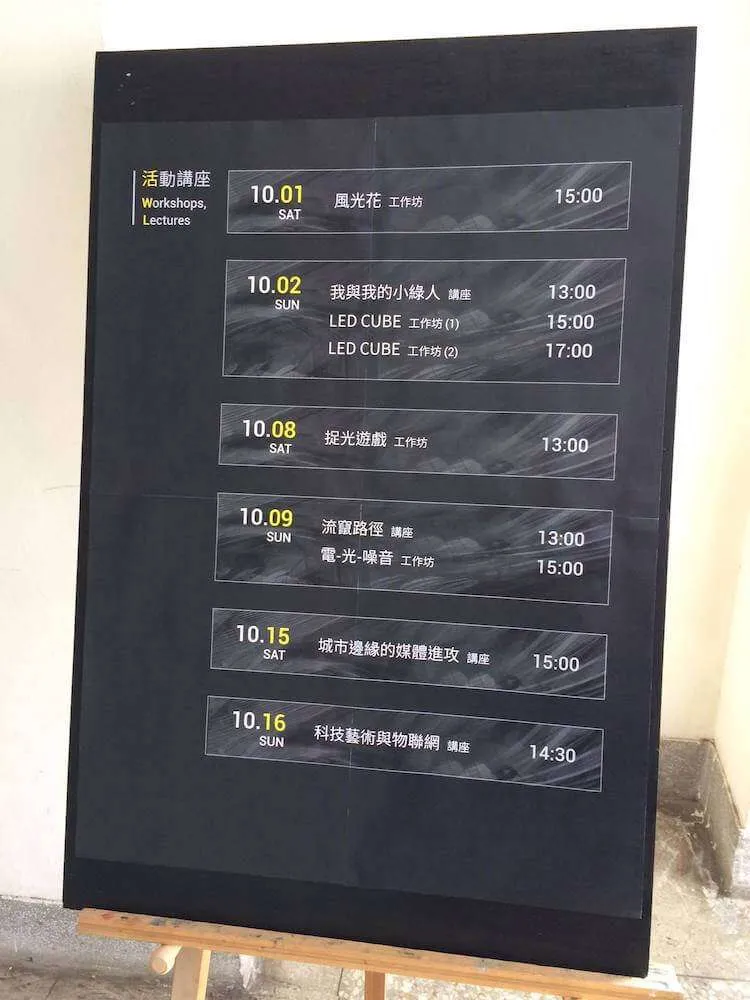
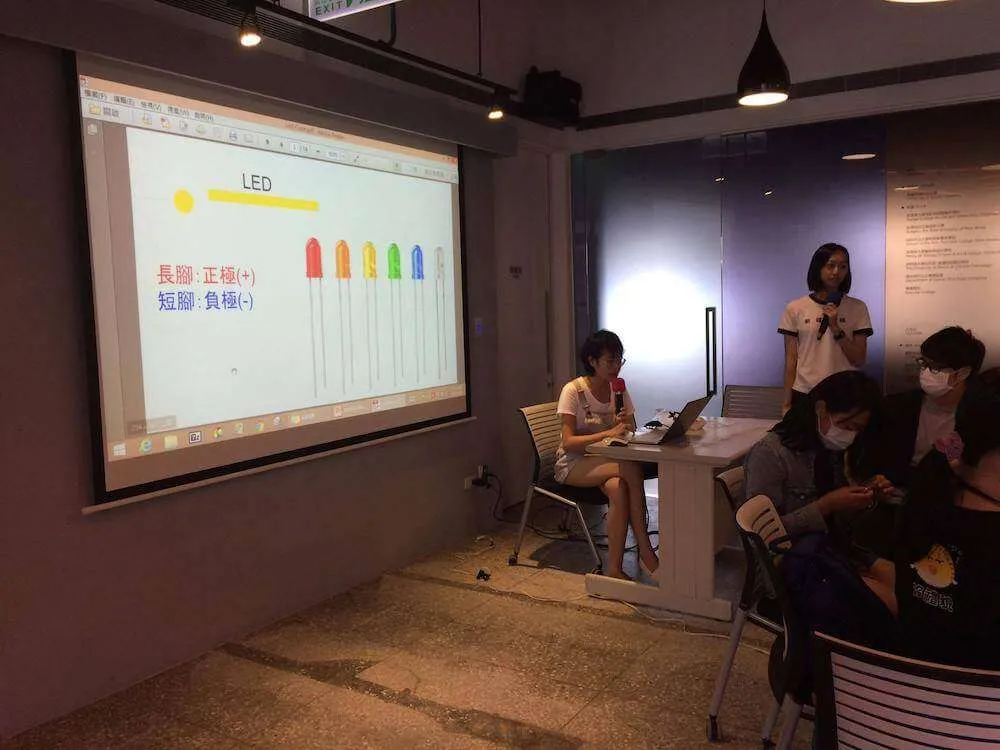
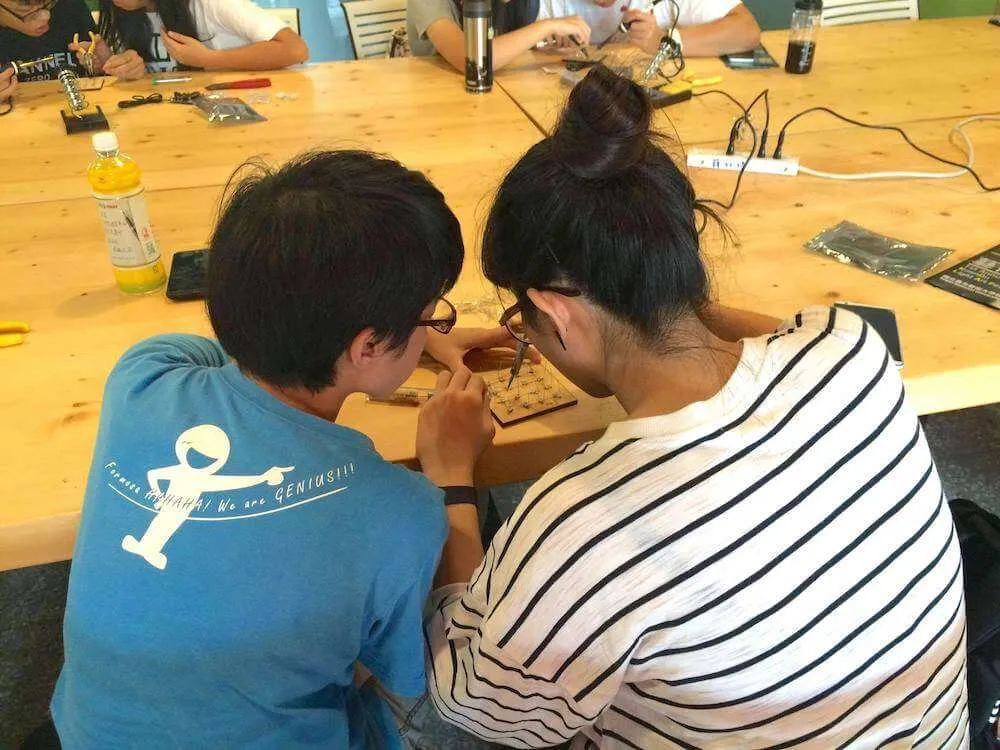
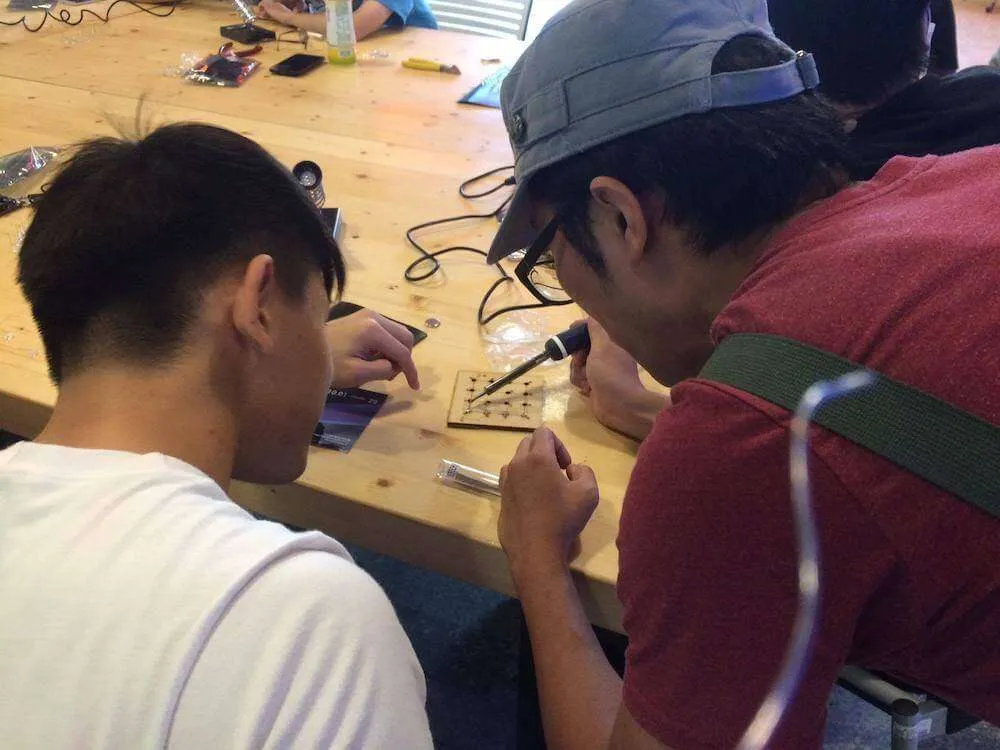
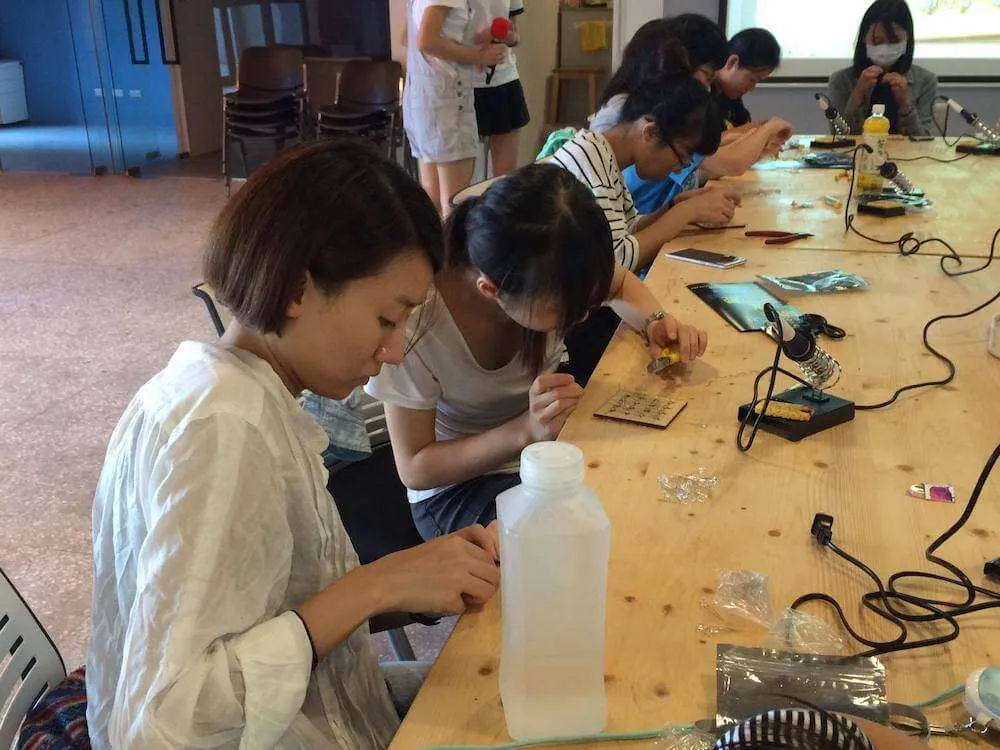
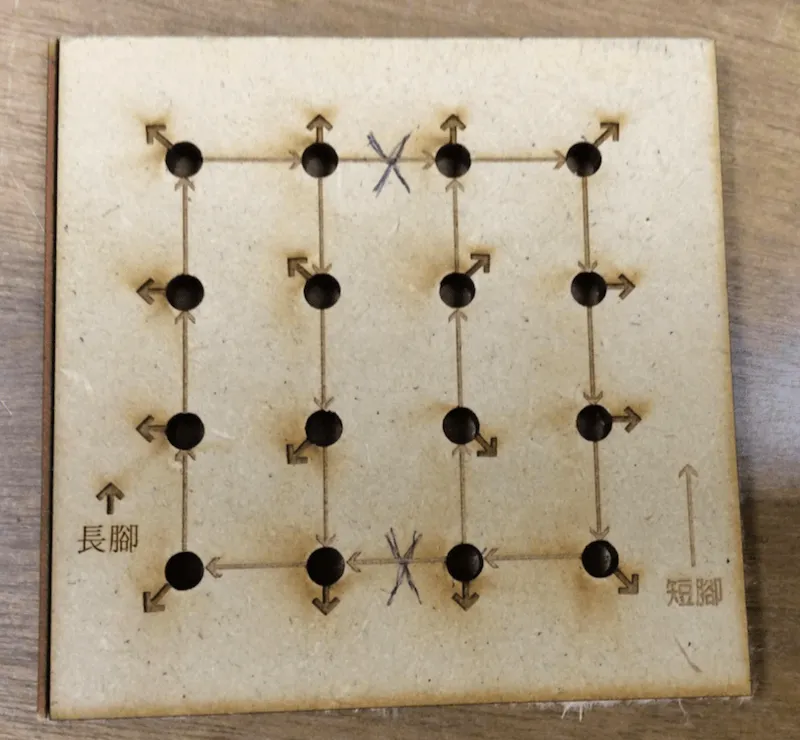
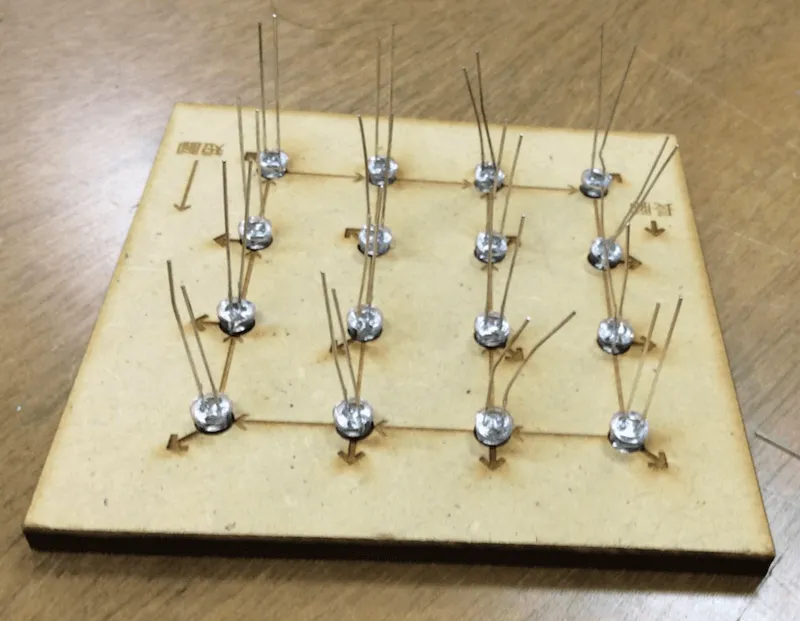
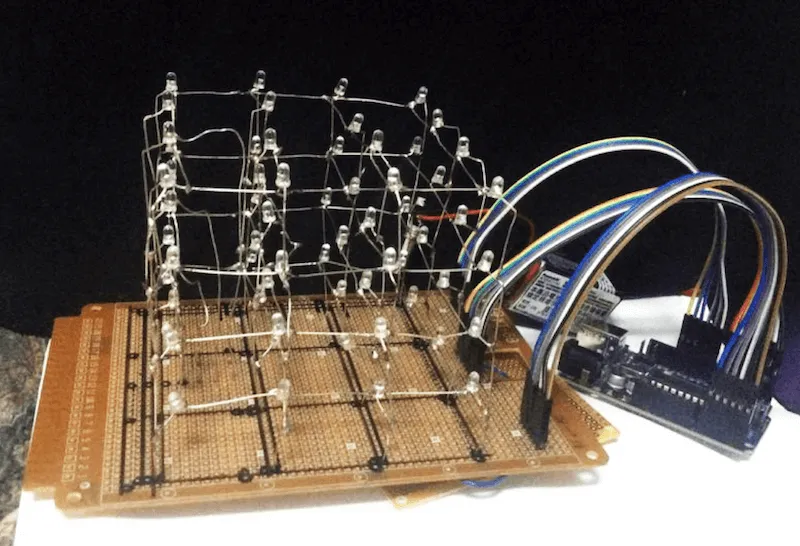
Figure 9. These images indicate the easy version 4x4x4 LED cube provided for participants in the LED cube workshop.
Conclusion and Future Work
It is reported that the rising number of pedestrian fatalities in the US has a lot to do with the fact that people are using their smartphones while driving or crossing the road. According to the US Governors Highway Safety Association, 6,000 pedestrian deaths were reported in 2016. It was the highest number in the past two decades. The percentage of pedestrian fatalities was four times higher than the rate of overall traffic deaths. In fact, the ever-increasing use of cellphones by those who are walking or driving on the road is a major source of distraction that incidentally causes traffic accidents [14]. The purpose of my work is to make people more aware of their surroundings as a start and then convert everyday public facilities into dainty and appealing art installations. In fact, if devices like the little green man are able to successfully get road users’ attention back on the traffic from their cellphones, it is very likely that traffic accidents due to smartphone-related distractions will significantly lesson. In the future, I have plans for recreating the triple size of “Keep Walking” light installation in an area of open grassland for tourists who can slow down their pace and get immersed in Mother Earth’s nurturing and the charmingly blended artistic work in the open space.
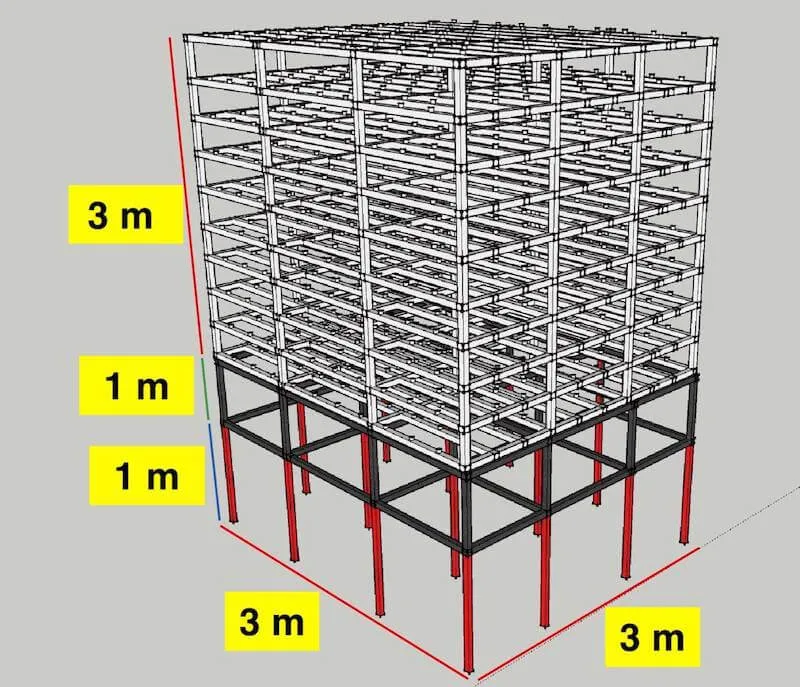
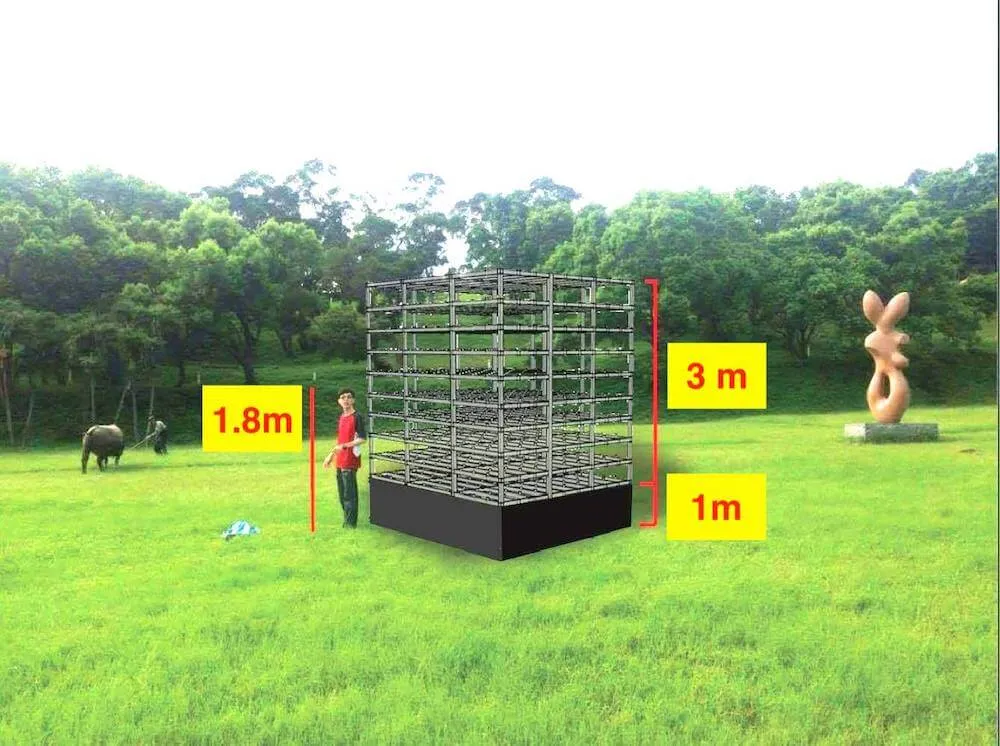
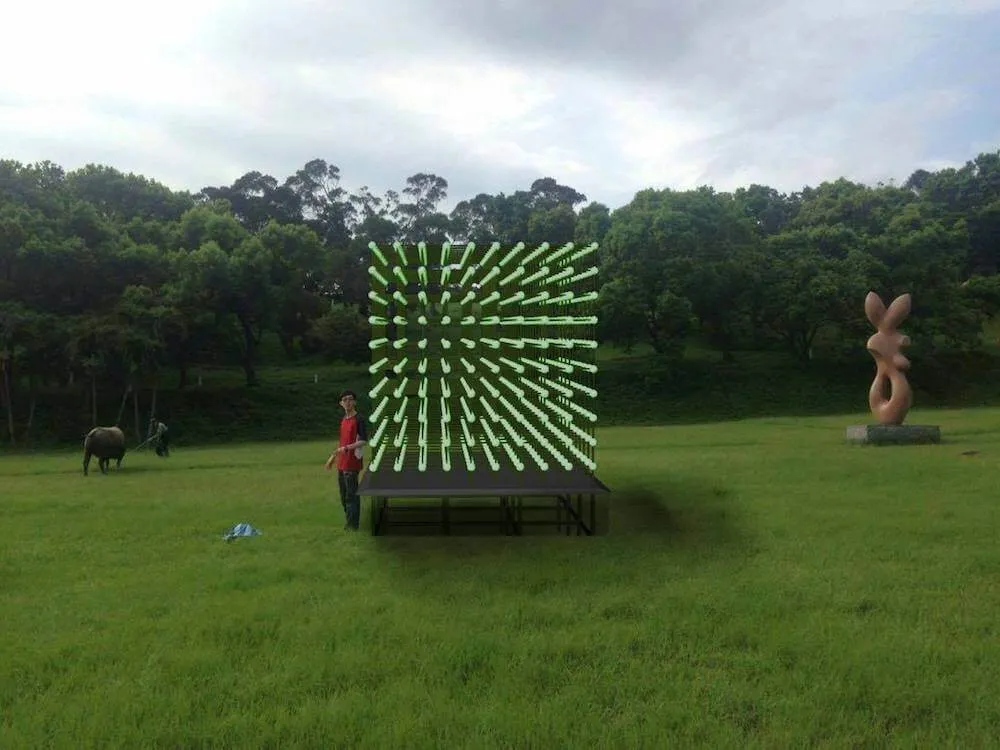
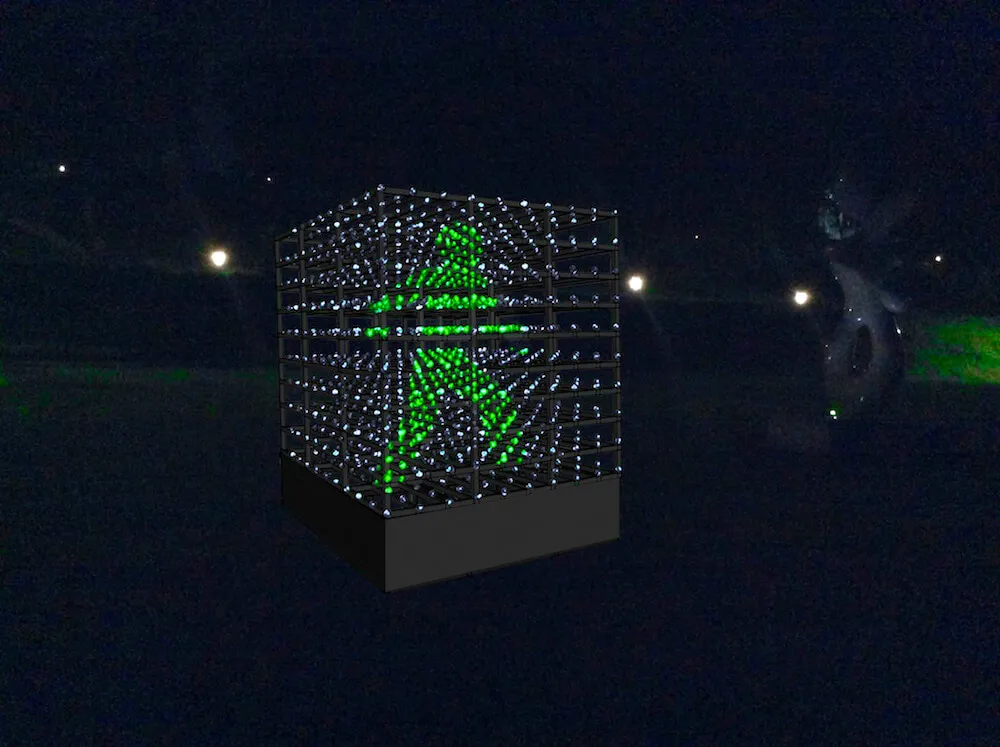
Figure 10. The figures show schematic diagrams of a giant-size LED cube placed on grasslands and reinforced structurally to withstand natural conditions.
References
[1] Wikipedia. (2018). “Xiaoluren.” [Online]. Available: https://en.wikipedia.org/wiki/Xiaolüren
[2] Taipei National University of the Arts. (2018). [Online]. Available: https://w3.tnua.edu.tw/
[3] 1ˢᵗ Kuan Du Light Art Festival (KDLAF). (2016). [Online]. Available: http://kdlaf.tnua.edu.tw/2016/kdlaf-keep-walking.html
[4] 1ˢᵗ Kuan Du Light Art Festival (KDLAF). (2016). “Publicity Film.” [Online]. Available: https://www.youtube.com/watch?v=JwFNnrFyoQM
[5] 2019 Taiwan Lantern Festival in Pingtung. (2018). “Pingxi Sky Lantern Festival.” [Online]. Available: https://eng.taiwan.net.tw
[6] Arduino MEGA 2560 Overview. (2013). [Online]. Available: https://www.arduino.cc
[7] Future Learn. (2018). “Persistence of vision: how does animation work?” [Online]. Available: https://www.futurelearn.com/courses/explore-animation/0/steps/12222
[8] Unity3D. (2018). “Features.” [Online]. Available: https://unity3d.com/unity
[9] Wan-Ting Hsieh. (2016). “LED Cube Animation Code Conversion Tool.” [Online]. Available: https://codepen.io/cv47522/full/qBEwVEm
[10] My Green Man Animation Arduino Code. (2016). [Online]. Available: https://github.com/cv47522/Arduino_Mega_3D_Green_Man_LED_Cube
[11] Typhoon Database. (2016). [Online]. Available: https://www.cwb.gov.tw/V8/C/
[12] Myo 101. (2018). “Using Myo.” [Online]. Available: https://newatlas.com/myo-gesture-control-armband-review/39103/
[13] 1ˢᵗ Kuan Du Light Art Festival (KDLAF). (2016). “Events.” [Online]. Available: http://kdlaf.tnua.edu.tw/2016/kdlaf-1002.html#e0201
[14] BBC News. (2017). “Smartphone Use Blamed for Road Deaths.” [Online]. Available: https://www.bbc.com/news/technology-39453497