Links
[slideshow:1]
[toc]
Project Information
- Learning Diary for Interactive e-Textile. 10/2020.
- Course-based process documentation from concept to final presentation.
- Focus: wearable interaction, e-textile fabrication, and removable modular electronics.
Final Project
Link to the detailed final project page.
Learning Diary
Monday 7.9.2020
- 9.15-10 Course program and assignments
- 10-11 Teacher introductions: Emmi Pouta, Antti Salovaara, Ilona Hyotylainen, Valtteri Wikstrom
- 11-11.30 Students introductions
- 11.30-12 Examples from previous courses
Today I got brief introductions about the difference between functional wear and wearable technology from previous student works and research shown by Ilona and Emmi respectively. Wearable technology focuses on integrating electronics and interaction with soft materials such as fabrics, yarns, lamination, pigments, and snap buttons.
Tuesday 8.9.2020
- Lectures: 9.15 Antti Salovaara, 10.00 Elina Ilen, 10.45 NN Tuesday 8.9 at 13.15-17 at campus
- Demos by Emmi and Valtteri at Megatronic lab and Sewing studio: Team A at 13.15-15, Team B at 15.15-17
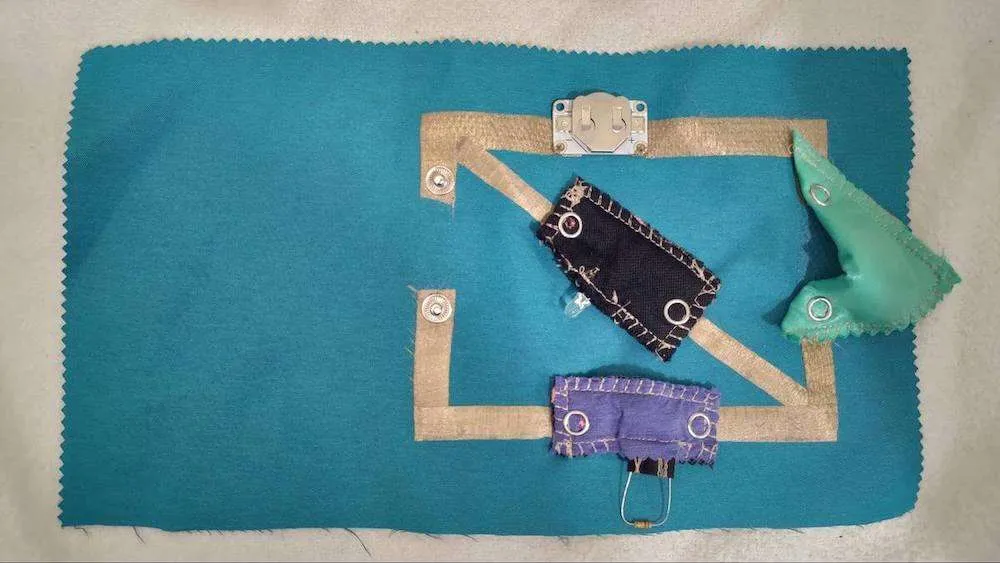
Today I learned how to apply conductive fabrics and yarns given by Emmi to form a soft circuit and built a simple e-textile with fabrics and electronics (LED, resistors, and a coin battery). The image below is my first soft circuit made of fabrics and yarns.
Thursday 10.9
- Students presentations - see details at assignments
- 13.15-14.30 Functional materials lecture by Ilona
- 15-16 Wearable teams are formed
- 15-17 Functional wear first tutoring, choosing topic
- Jaetaan kaikille tarvittavat aineistot
During the course given by Ilona, I learned the definition of functional wear and the difference between it and wearable technology. Functional wear mostly focuses on creative pattern design depending on categories (outdoor, indoor, team, winter, water, running sports, or workwear).
I also learned how to find e-textile inspiration from this useful website recommended by Emmi.
Monday 14.9.2020
- Programming by Antti
During the course given by Antti, I reviewed basic usage of electronics (Arduino boards, breadboards, jumper wires, resistors, and LEDs) and how to upload code to Arduino so it follows our logic to blink an LED.
Tuesday 15.9.2020
- Programming by Antti
- Prototyping simple circuit to fabric at Mechatronics lab and Sewing studio by Emmi
- Laminations at Sewing studio, by Ilona
- Working in separate rooms/studios in smaller groups
Today I reviewed how to add interaction to Arduino by connecting a button to an LED and optimizing the code with if/else blocks so there are more conditions for interaction.
Thursday 17.9.2020
- Programming by Antti
- Prototyping simple switch/sensor from hand movement at Mechatronics lab and Sewing studio by Emmi and Valtteri
- Working in separate rooms/studios in smaller groups
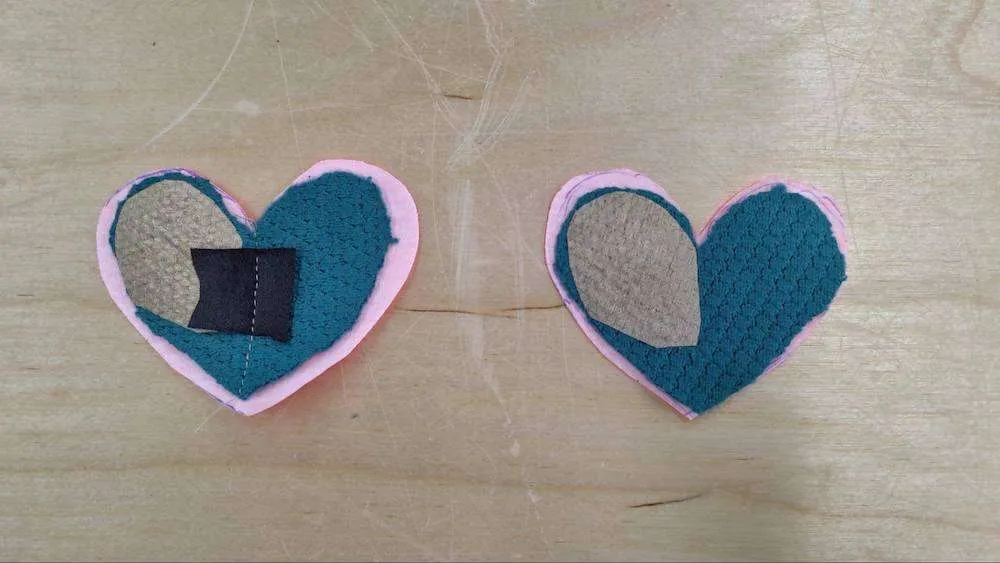
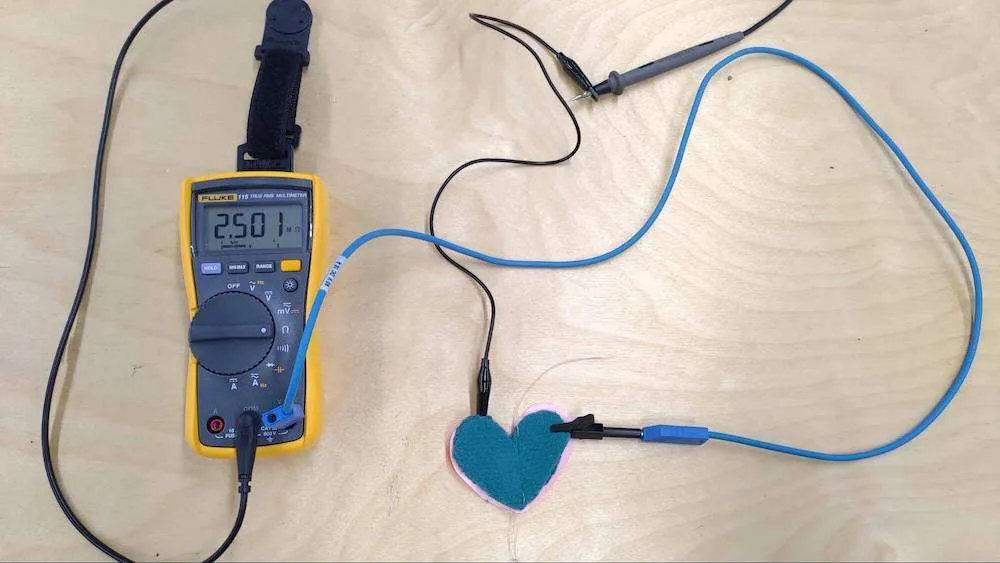
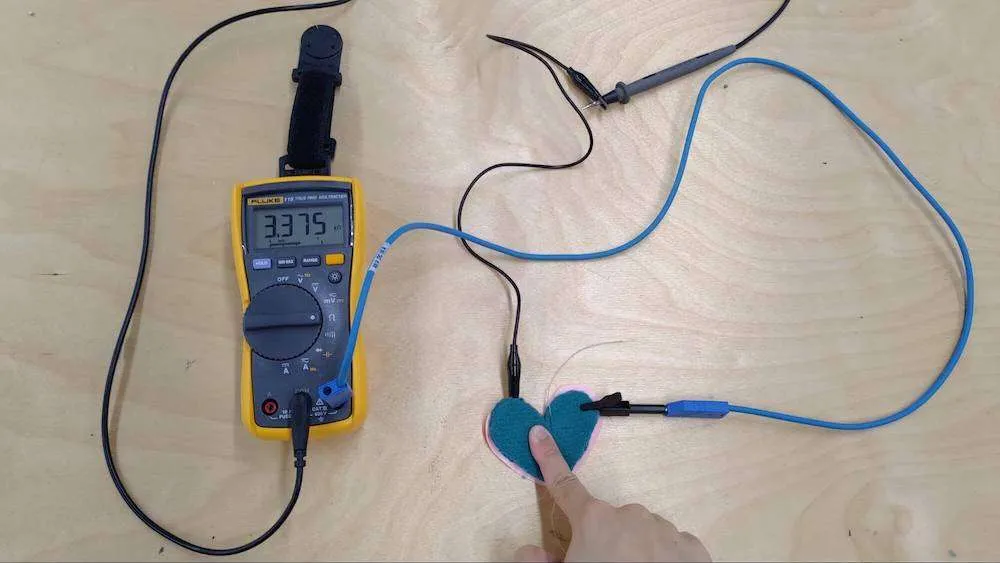
Today I learnt from Emmi about how to design and make our pressing sensors with piezo-resistive fabrics. During the course, I made a pressing button in heart shape with non-conductive, conductive and piezo-resistive fabrics inside to form certain layers for the conductivity. From the pictures below, the multimeter shows that there is high resistance (around 2.5M ohms) between the two endpoints of the button. However, once I press the button, the resistance becomes smaller (around 3.3k ohms).
Monday 21.9.2020
- At 9.15-10.15 lecture at Zoom: Hydrophobic Surfaces in water-repellent and breathable clothing, Nina Forsmann
- At 10.30-12 lecture at campus: Footwear technology, Hanna Raatikka, room Q202
Today I learnt the fabrication process of making shoes and the components for footwear. Before the course, I hadn’t expected that there were so many layers and materials used for forming a shoe. A shoe consists of different kinds of upper layers (e.g. PA, PES, PP, PET, cotton, blends etc.), lining, reinforcing, cushioning materials, lasting sole, midsole, loose insole, outsole and grip. Also there are lots of conditions including shock absorption, torsion resistance, arch stability, antipronation, stability and water proof structure need to be taken into consideration during the design process.
Tuesday 22.9.2020
Today I got basic knowledge about functional details of different kinds of sportswear (hoods, pockets, cuffs, zippers, collars, pants, lining, etc.). Some are designed for specific function; for example, armpit zippers for ventilation and lining materials for thermal insulation.
Thursday 24.9.2020
- First concept presentations by student groups/students, discussion and feedback
- 13.15-17 tutoring sessions by Ilona
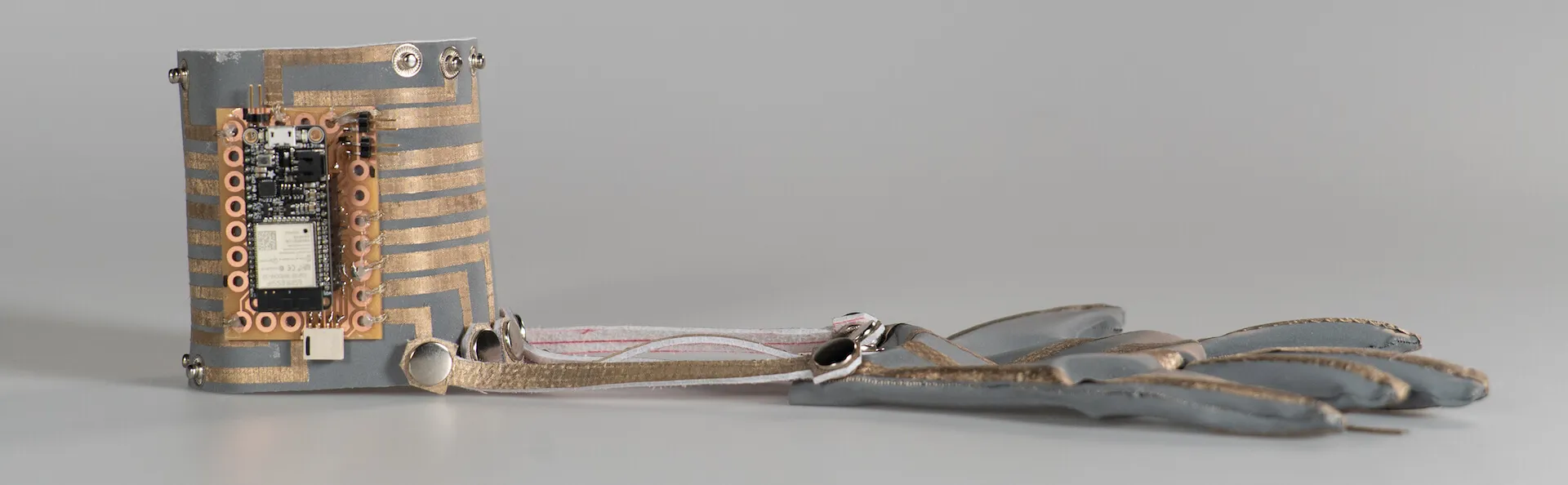
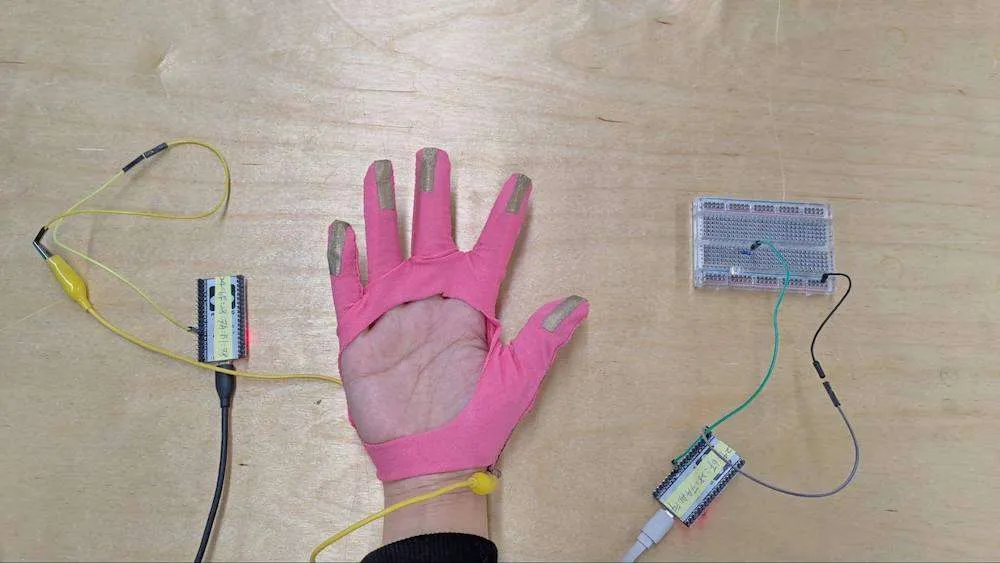
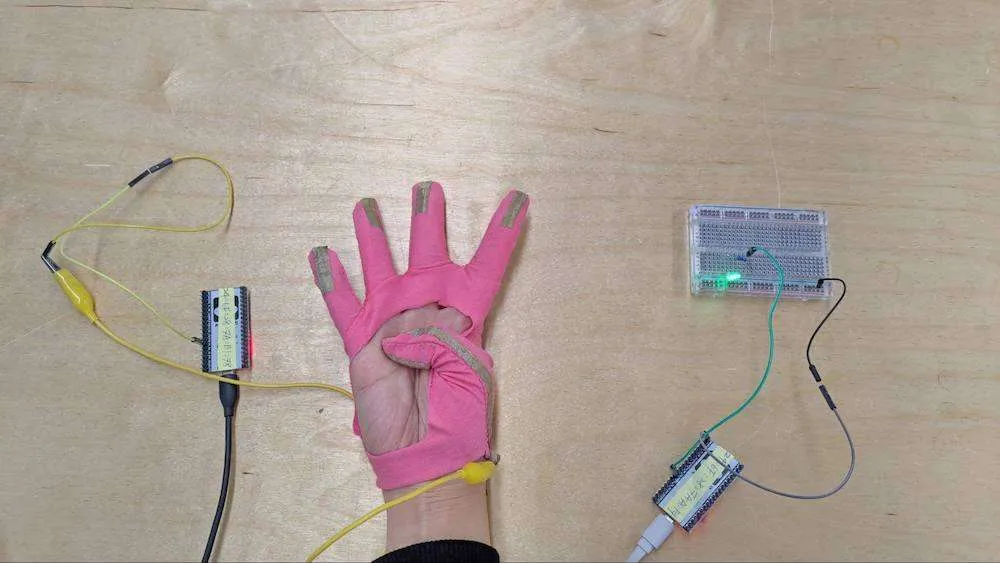
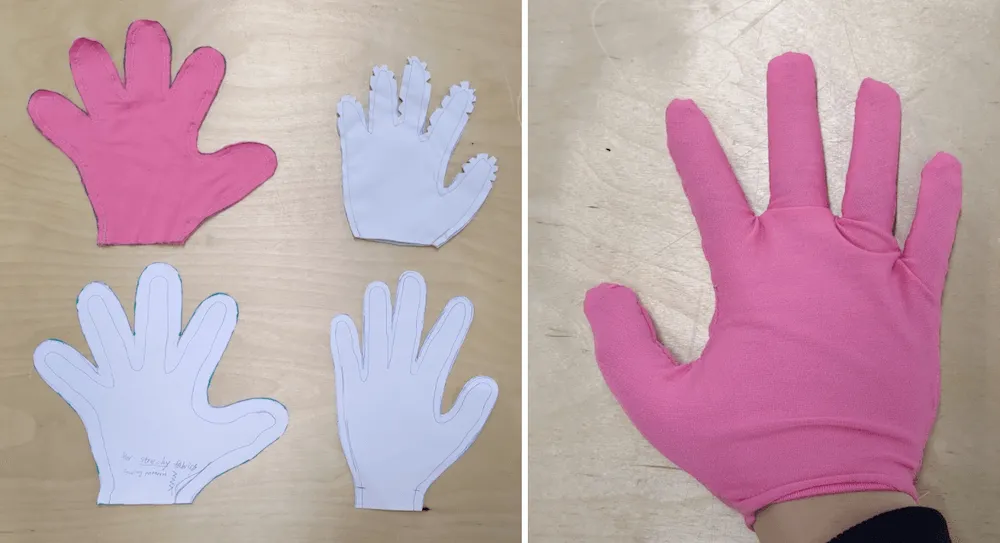
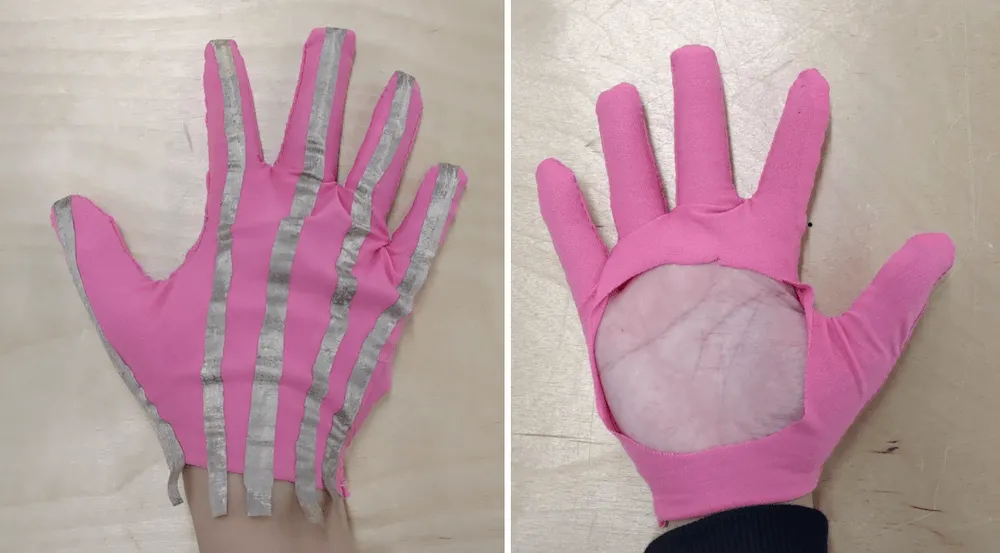
After the concept presentation, I started making a glove with a simple pattern to test if one of my ESP32 microcontrollers can read analog values from gestures and send the signal to another ESP32 board to light an LED. The images below show the LED lighting up when I press my thumb.
The simple pattern I made for the glove:
I ironed conductive fabrics on the glove surface:
Monday 28.9.2020
- Wearable teams tutoring sessions at campus, by Antti, Emmi, Valtteri, and Ilona, room Q202
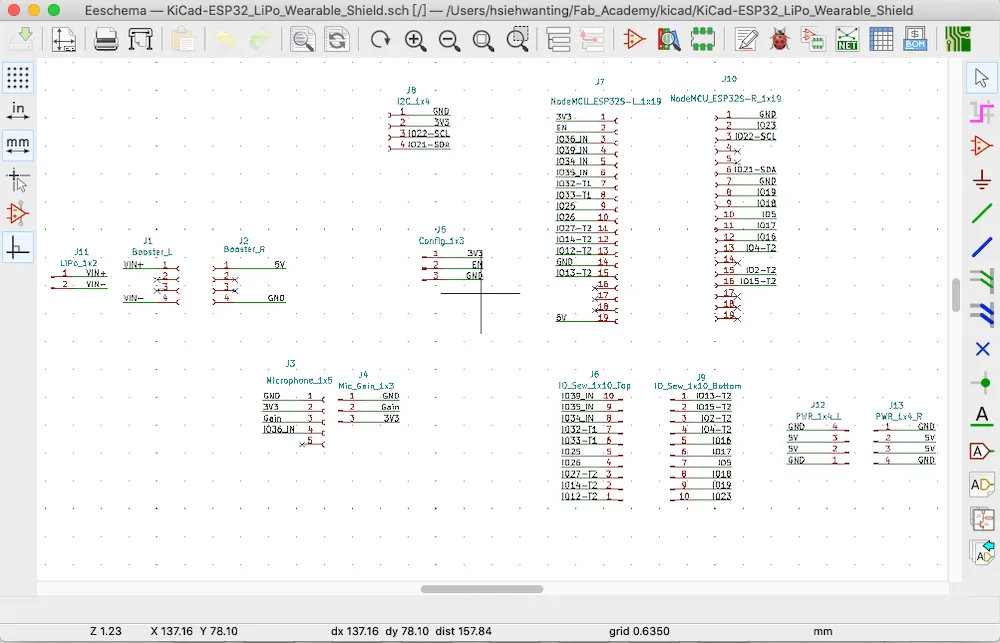
After confirming how many input and output pins to use and finishing rough testing with Arduino, breadboards, jumper wires, and a neopixel strip, I started designing PCB shields in KiCad: wiring schematic first, defining component sizes, then placing components in PCB view.
The main ESP32 shield for the belt controller (receiver) in schematic view:
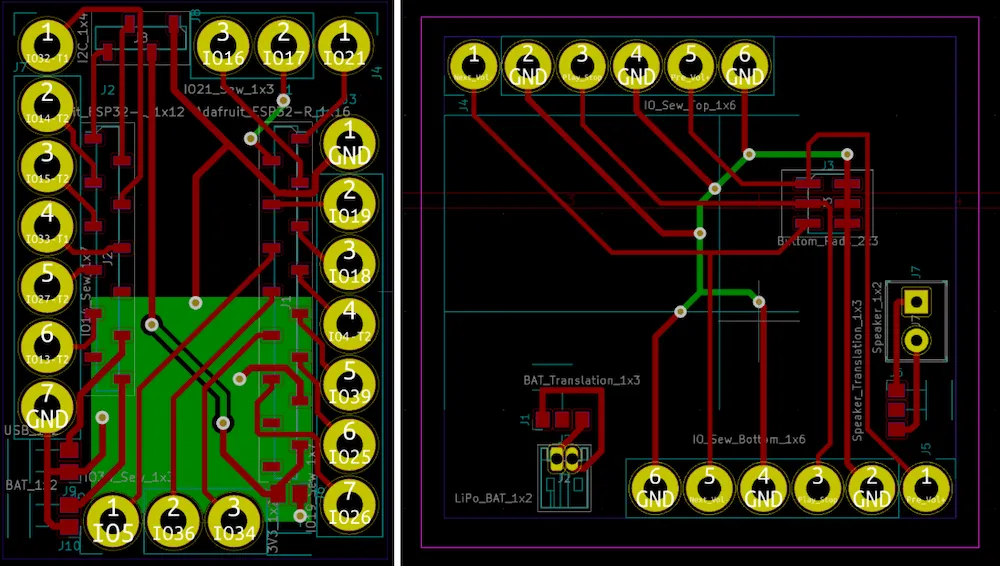
The main ESP32 shield (left) for the bracelet controller (sender) and the MP3 shield for the belt controller (right) in PCB view. I made yellow holes large enough for hand sewing in post-processing.
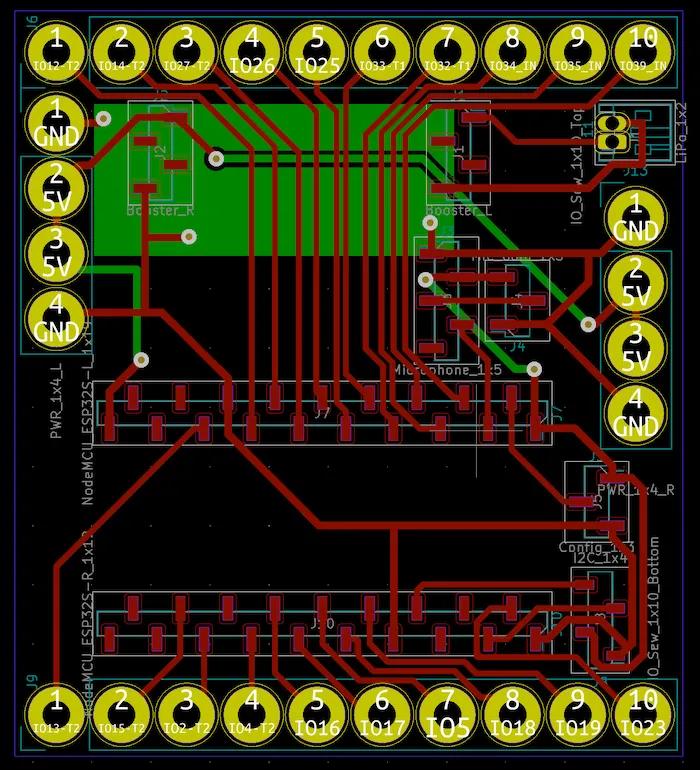
The main ESP32 shield for the belt controller (receiver) in PCB view:
Tuesday 29.9.2020
- At 9.15-12 basic pattern making at campus, Jane Palmu
- At 13.15-17 Clo3D program presentation by Jane Palmu
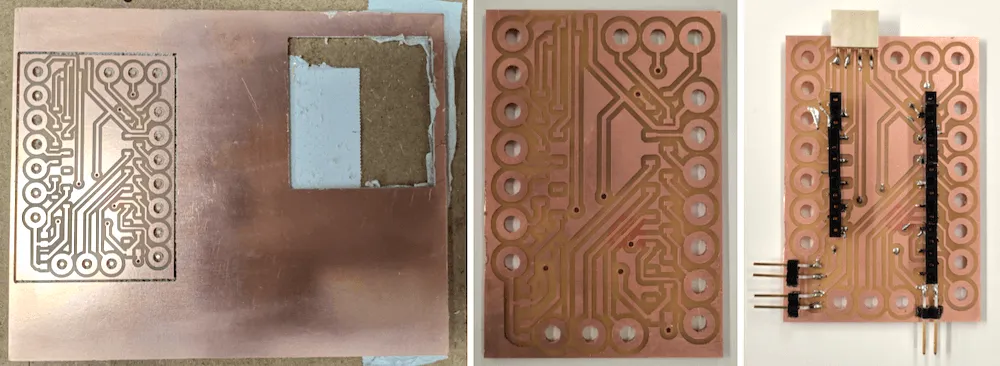
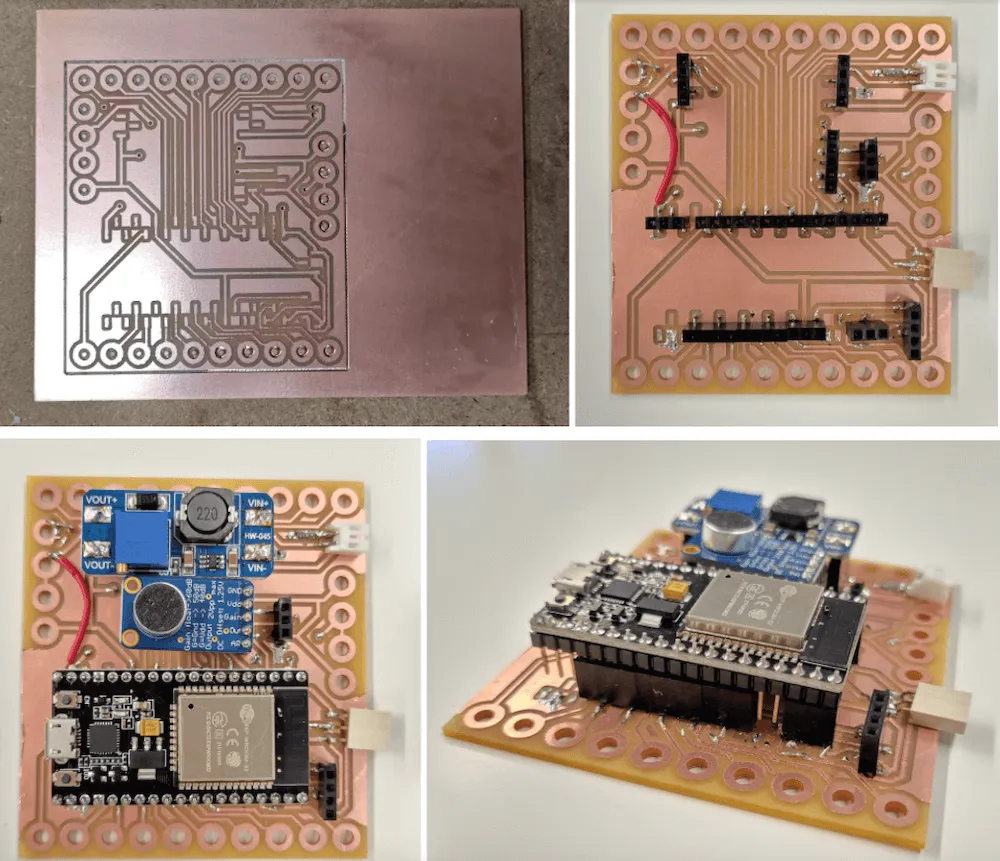
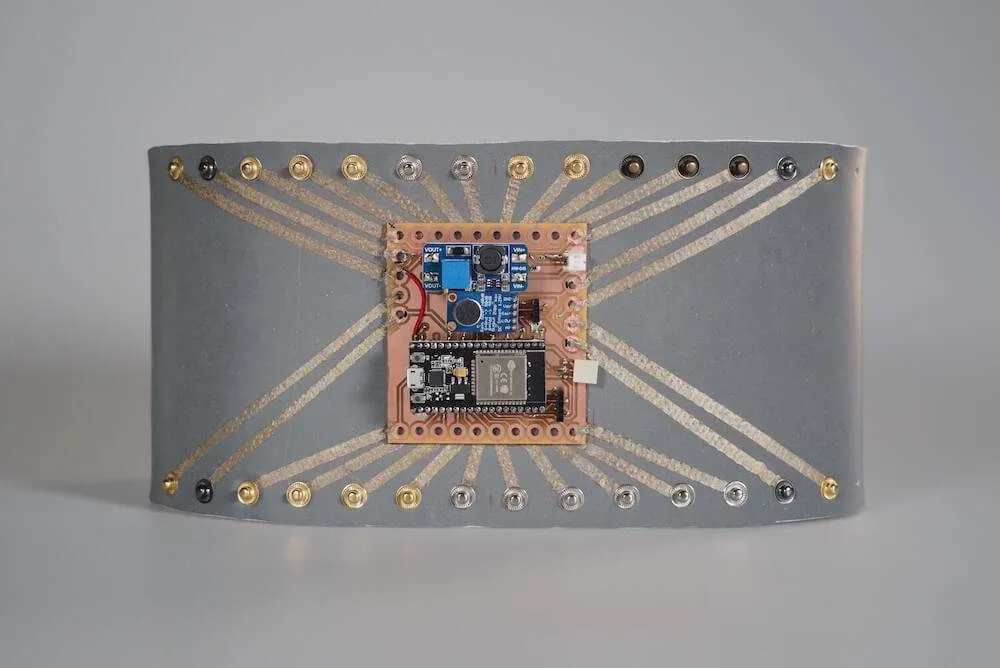
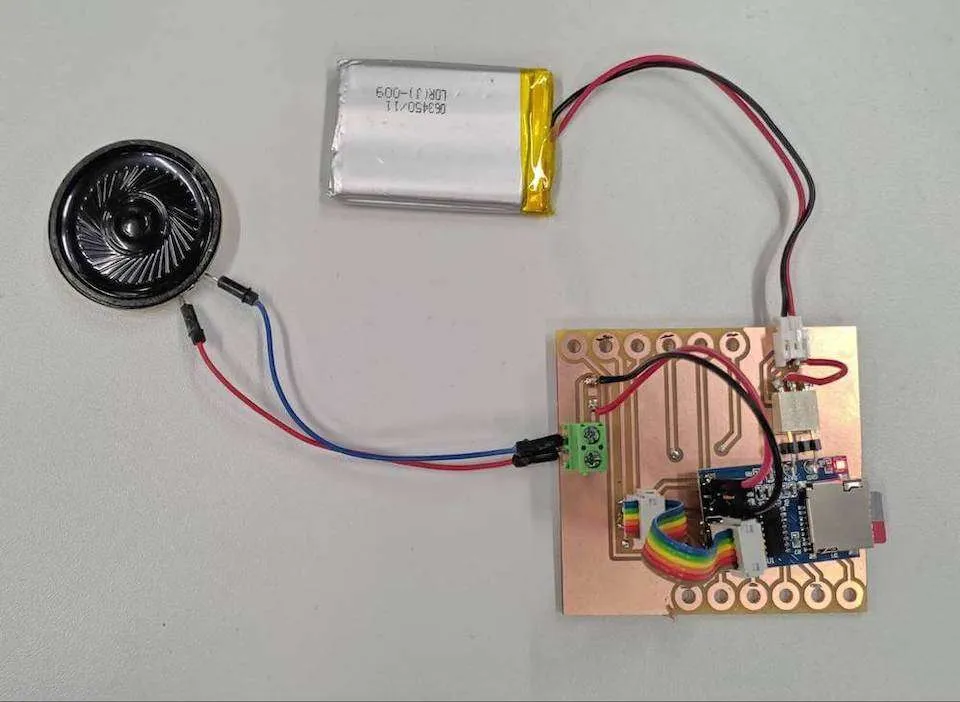
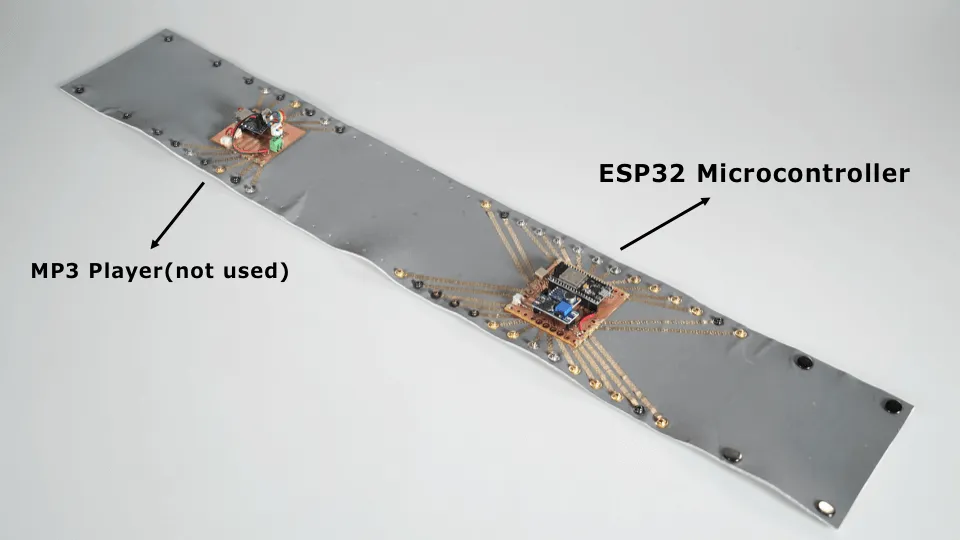
After designing the shields in KiCad, I fabricated them by milling boards with a CNC machine, debugging traces with a multimeter, and soldering headers. I fabricated 3 different shields, which took 12 hours in total including post-processing.
How I milled the shields with a CNC machine: fabacademy.wantinghsieh.com/assignment/06-electronics-design
The main ESP32 shield for the bracelet controller (sender):
The main ESP32 shield for the belt controller (receiver):
The MP3 shield (not used) for the belt controller:
Thursday 1.10.2020
- Prototyping begins at studios, tutors available: Emmi at 9.15-12, Valtteri at 13.15-16, Ilona at 9.15-12
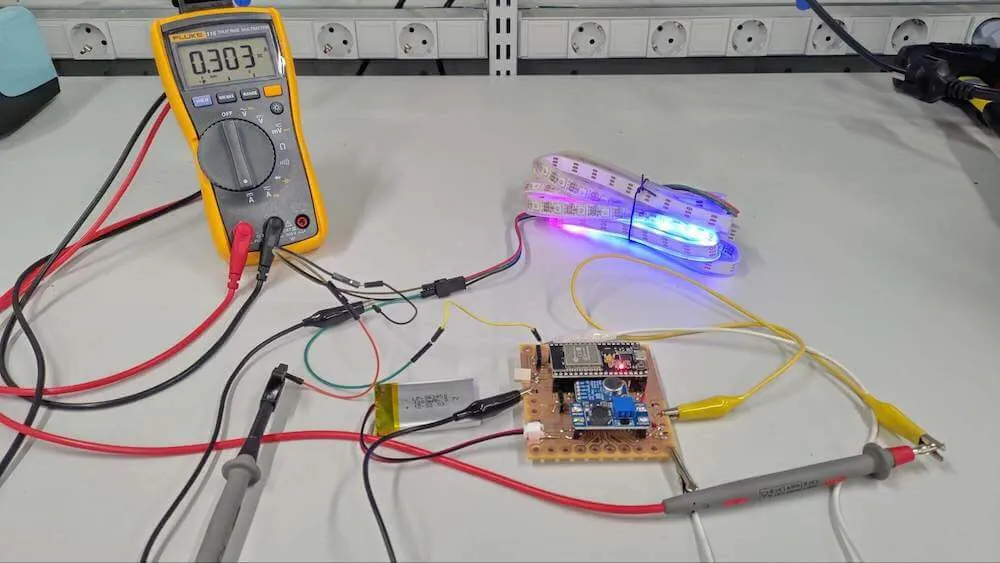
After fabrication, I connected ESP32 microcontrollers to customized shields and uploaded code to test whether my defined light patterns worked correctly with a standard neopixel strip connected by alligator clips.
Tuesday 6.10.2020
- Prototyping at studios, tutors available: Emmi at 9.15-12, Antti at 14-17, Valtteri at 13.15-16, Ilona at 9.15-12
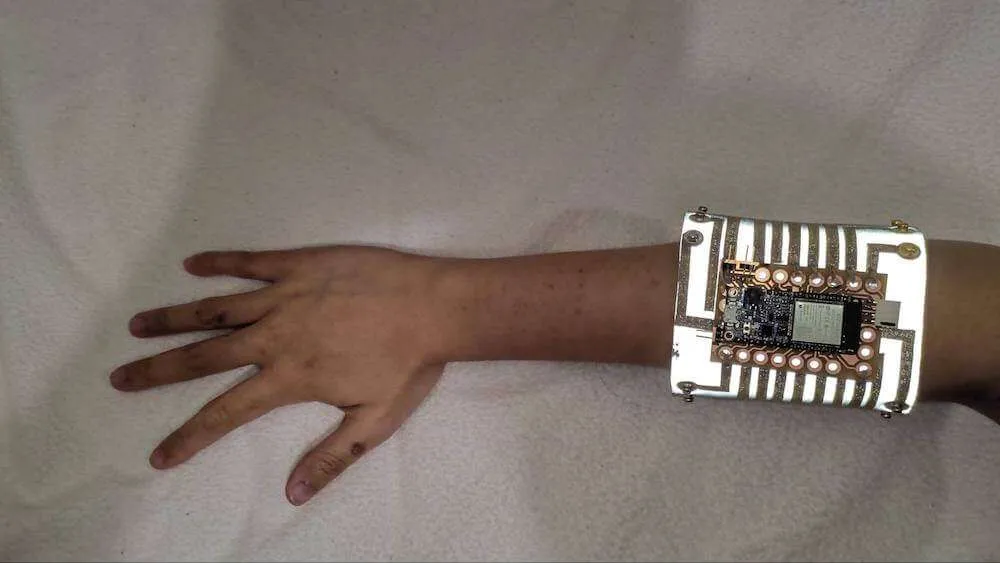
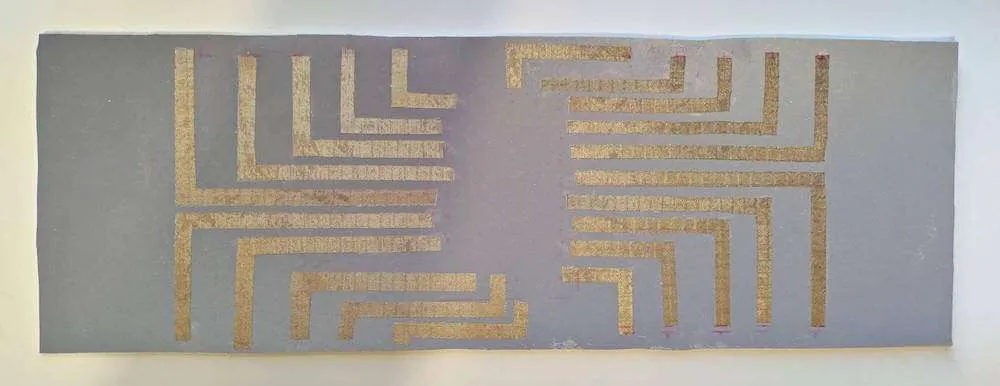
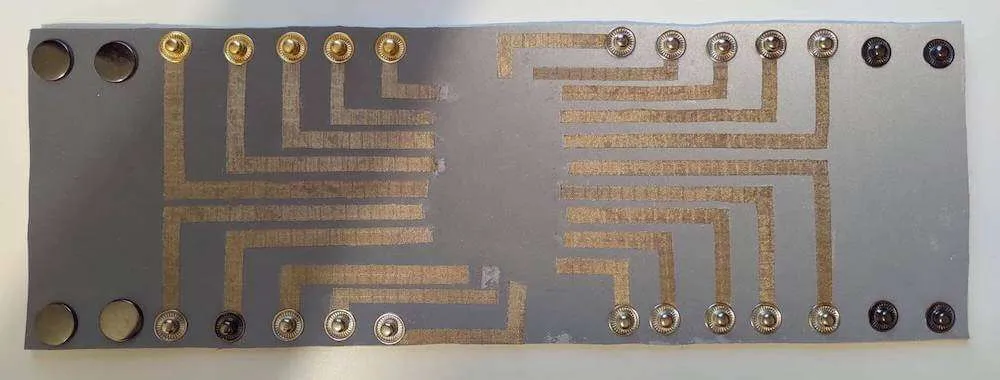
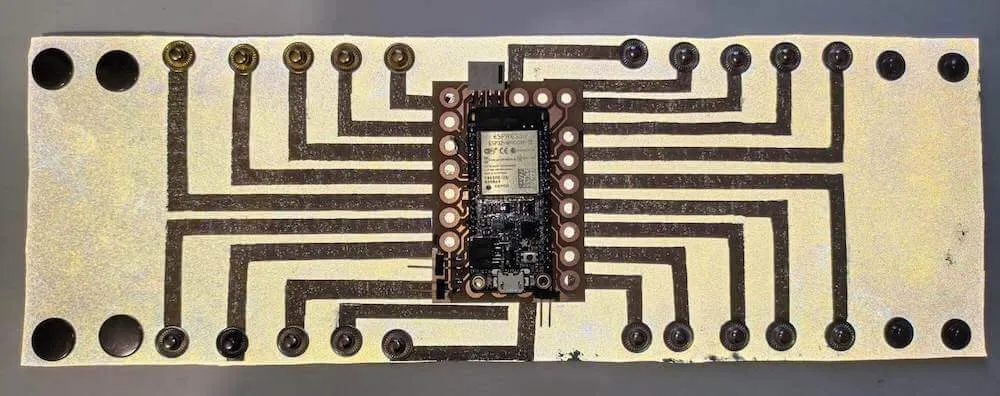
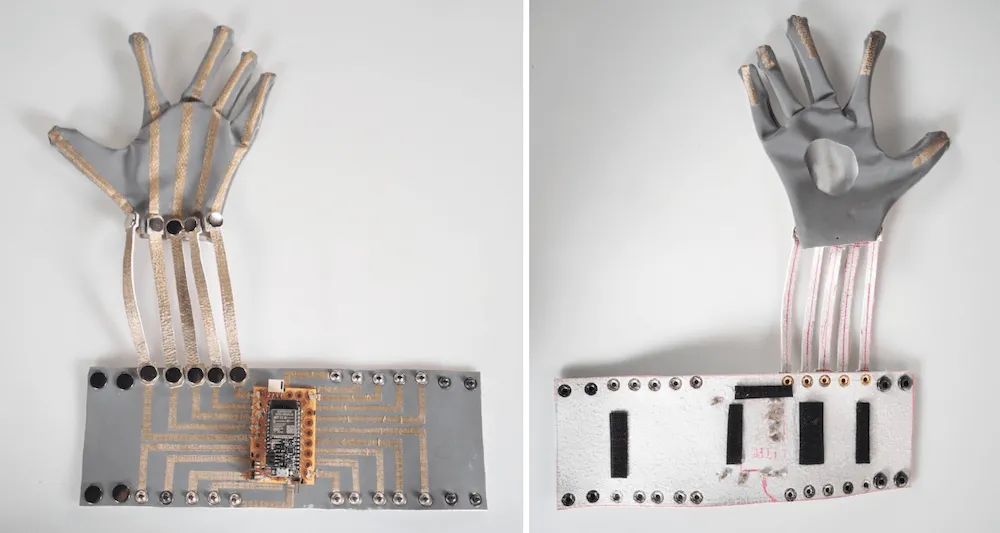
I ironed conductive fabrics in linear shapes on bracelet and belt controllers, hand-sewed shields with conductive yarns, and installed snap buttons for removability. I preferred every element removable so components can be replaced or added without tearing down the existing structure.
Thursday 8.10.2020
- Prototyping at studios, tutors available: Emmi at 9.15-12, Valtteri at 13.15-16, Ilona at 9.15-12
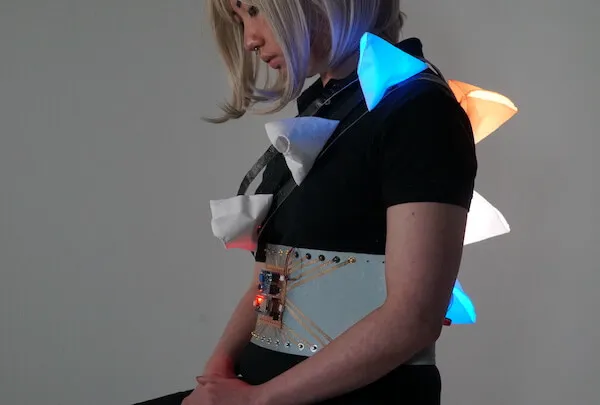
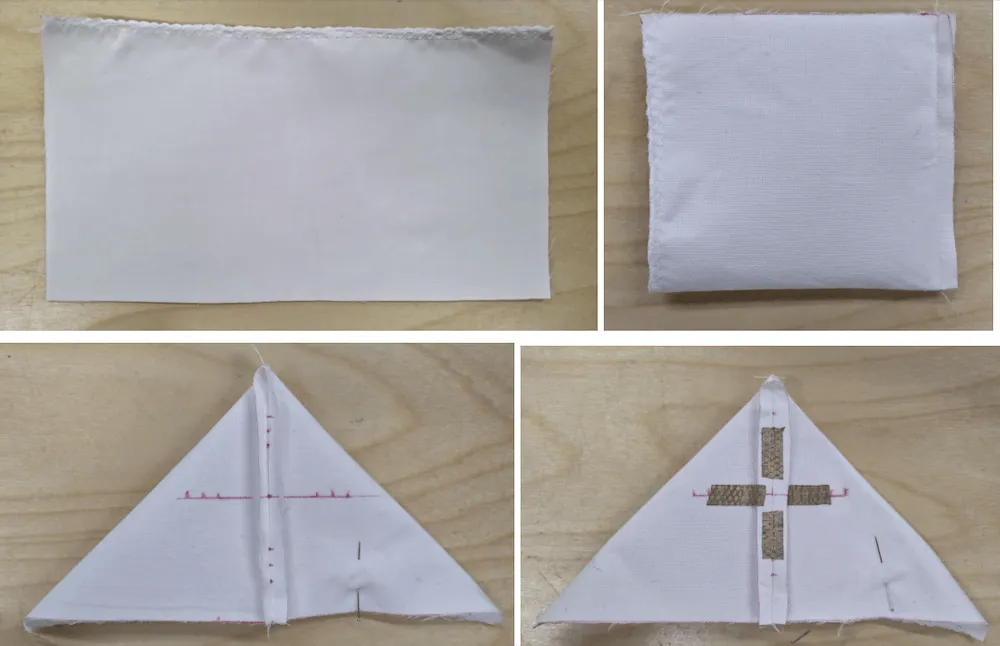
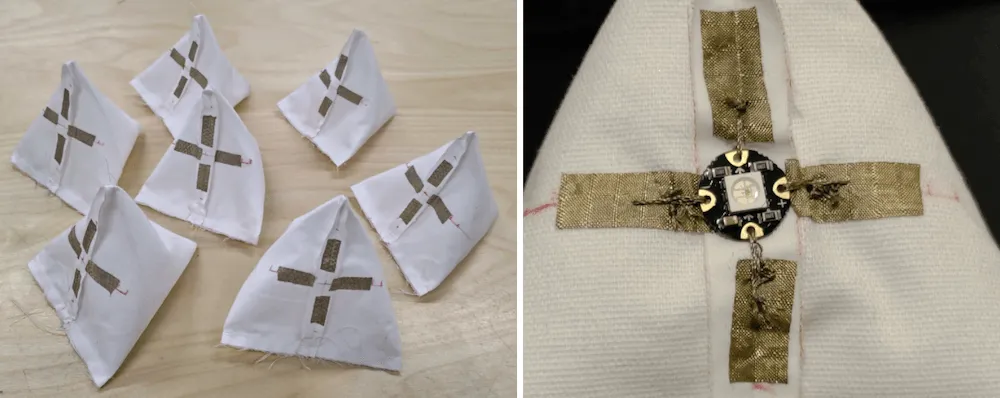
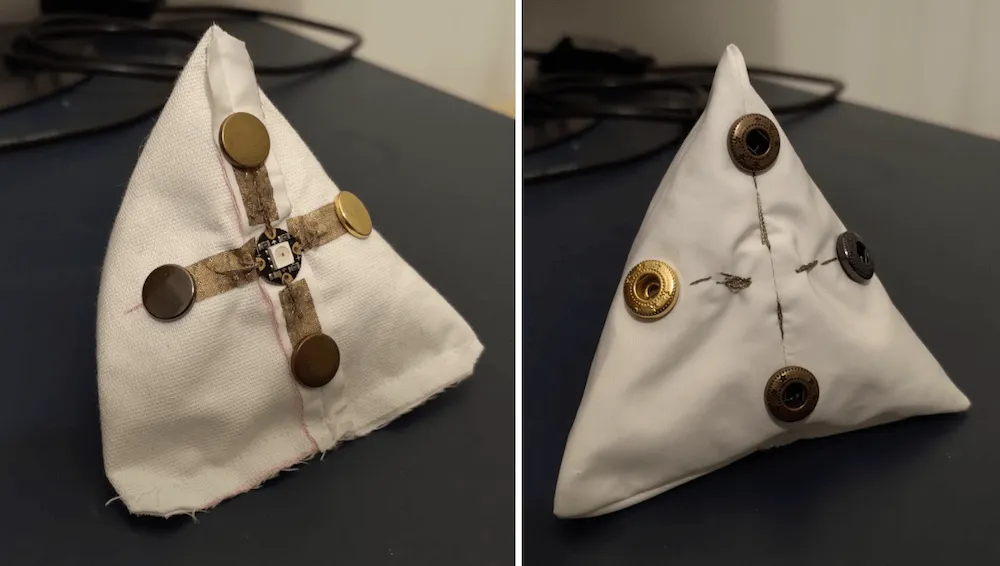
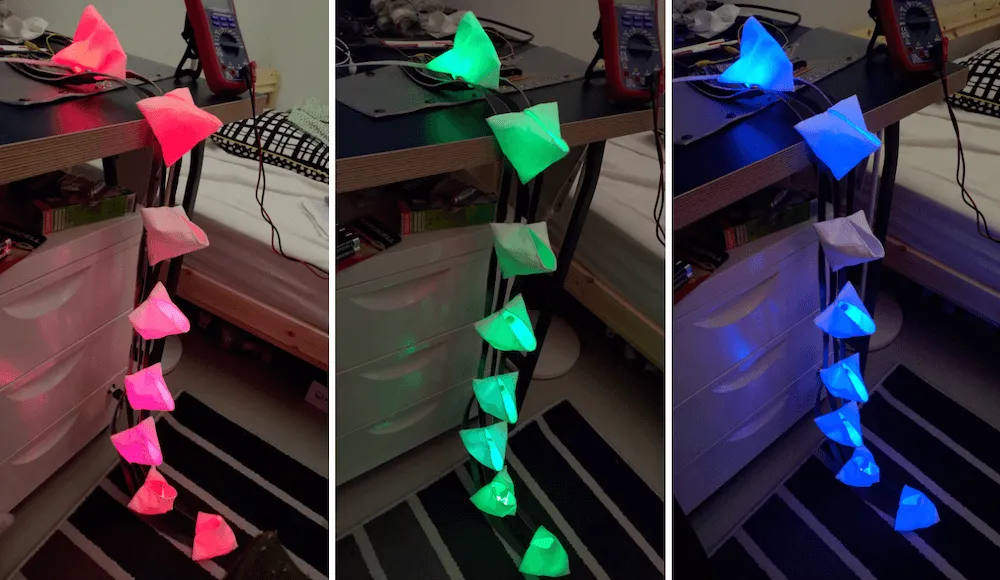
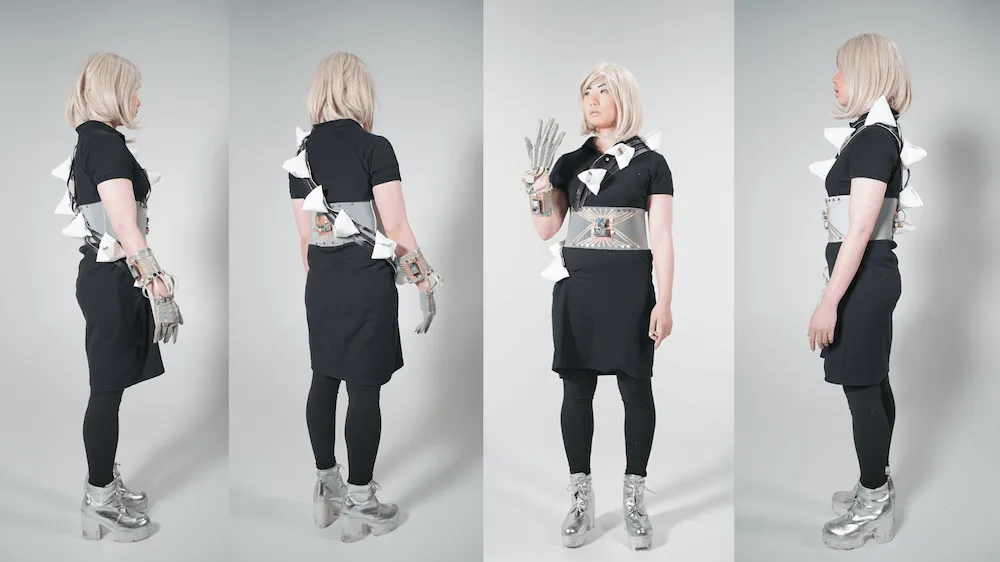
For the light modules, I applied a simple pattern requiring one piece of fabric to form a triangular pyramid. I sewed the structure, measured light PCB positions, ironed conductive fabrics, hand-sewed PCBs, and installed 4 snap buttons in each module.
Tuesday 13.10.2020
- Prototyping at studios, tutors available: Emmi at 9.15-12, Antti at 14-17, Valtteri at 13.15-16, Ilona at 9.15-12
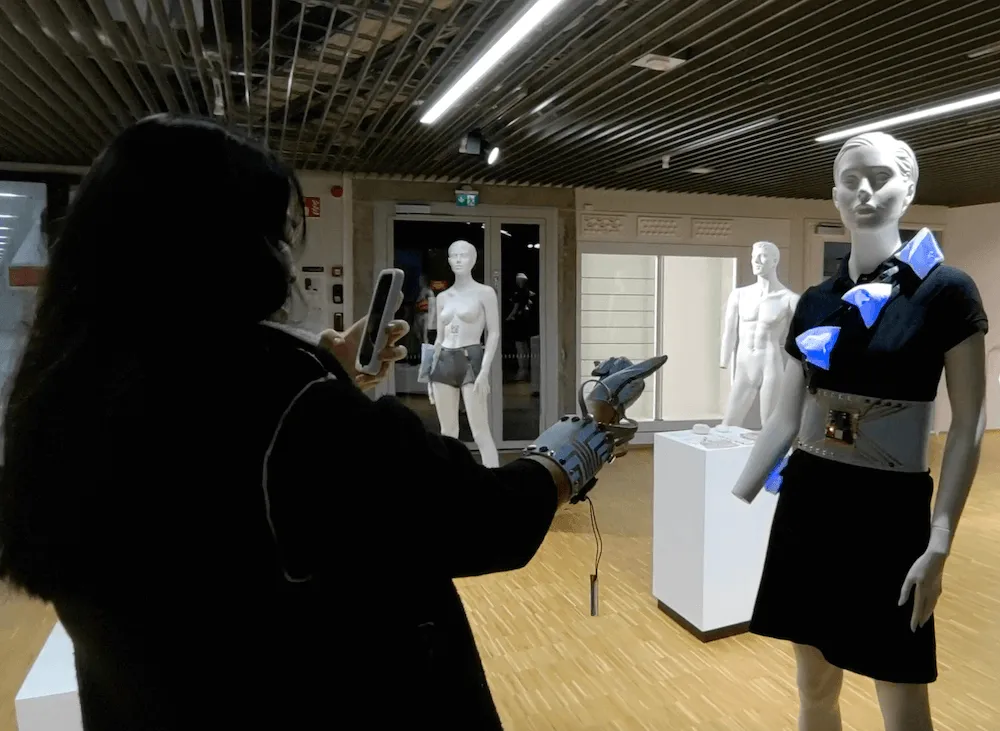
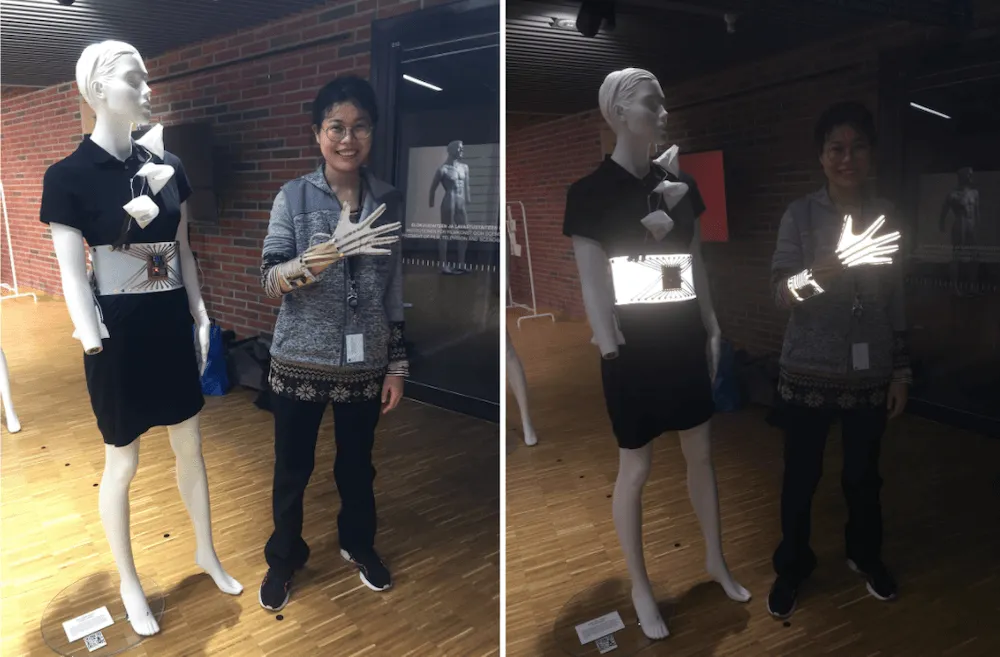
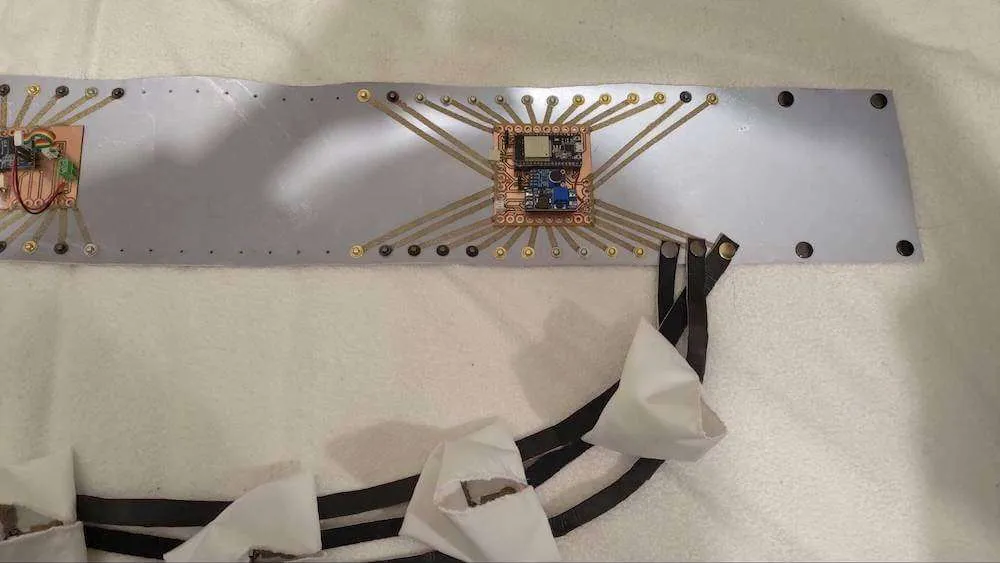
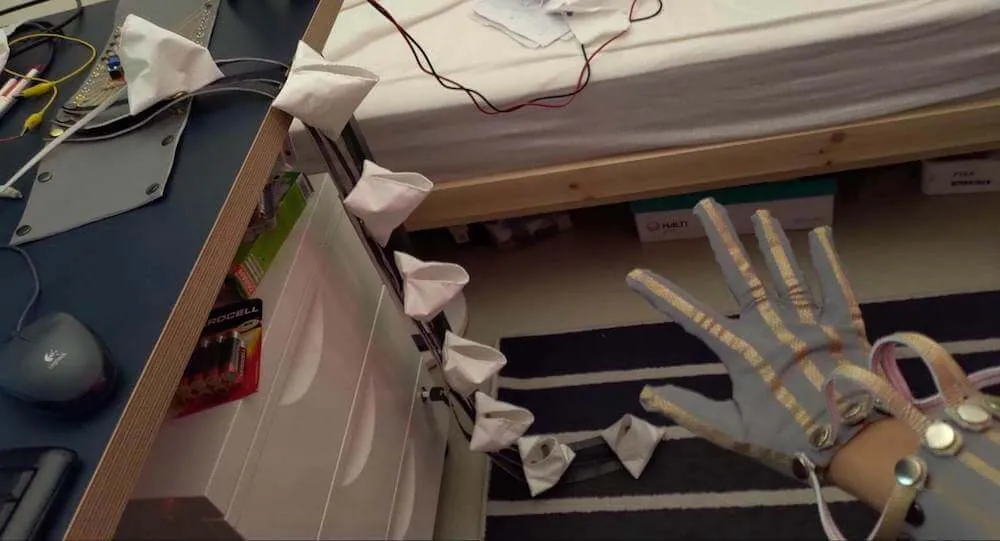
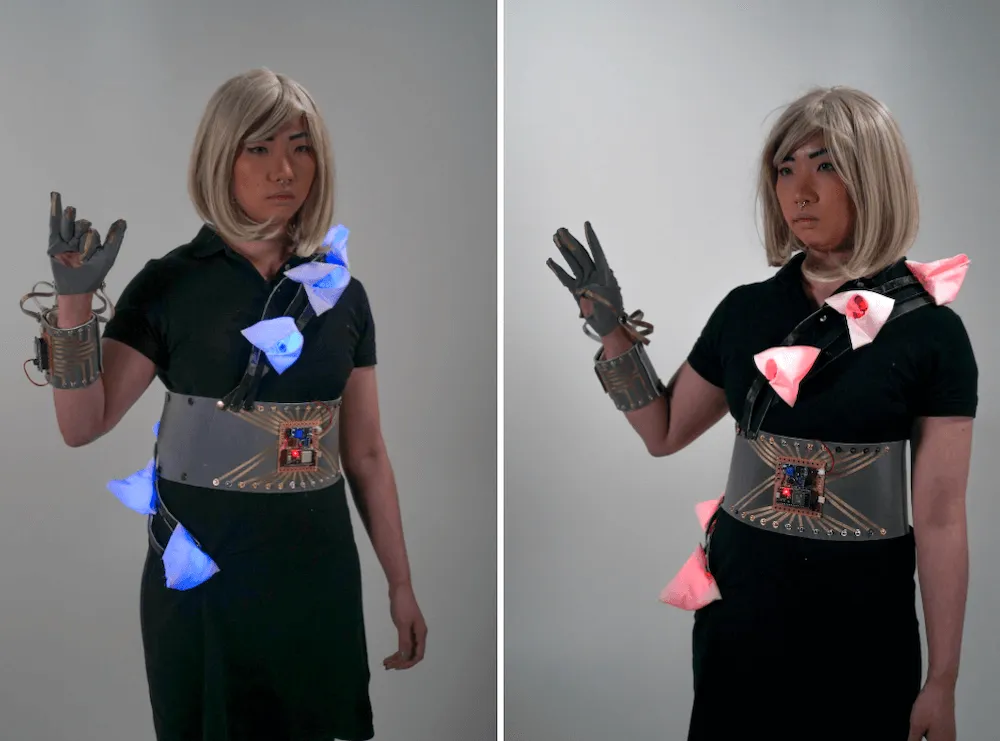
After finishing all elements, I connected the glove to the bracelet controller, integrated the light module strip with the belt controller, and debugged software and hardware issues.
Thursday 15.10.2020
- Prototyping at studios, tutors available: Emmi at 9.15-12, Valtteri at 13.15-16, Ilona at 9.15-12
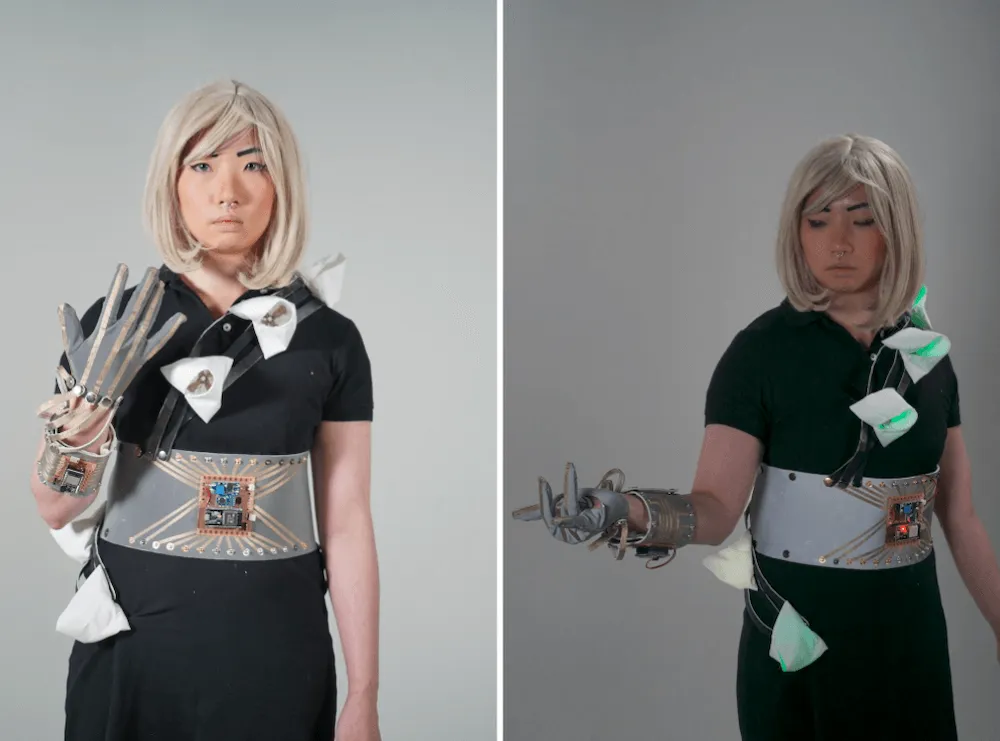
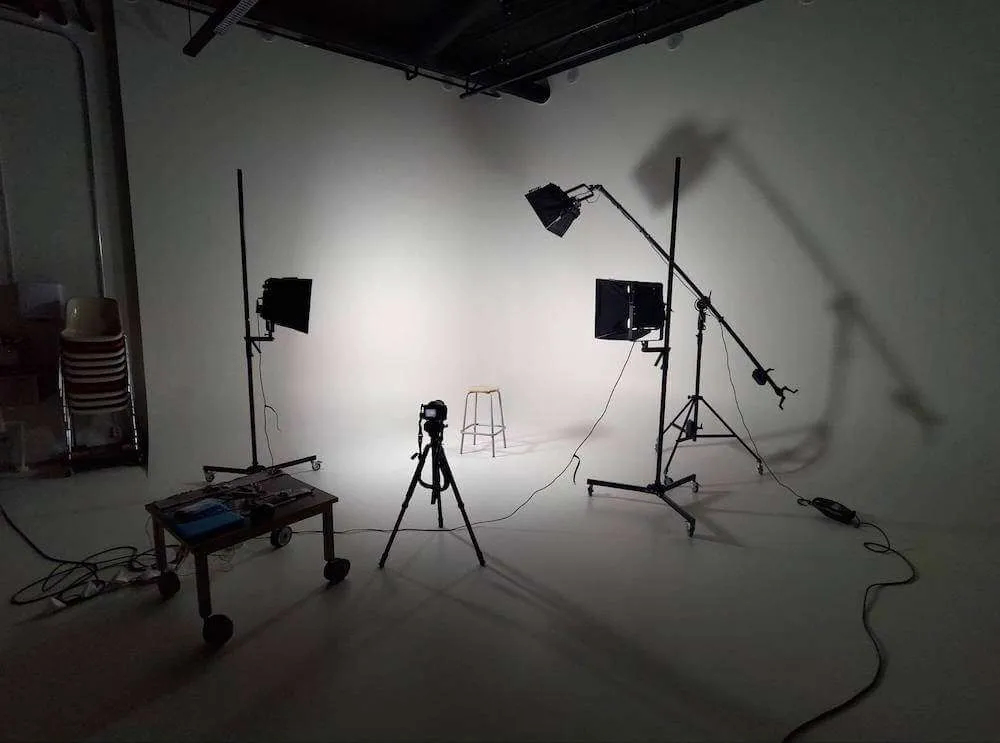
I booked Open Photostudio for documenting/photographing my wearable technology project (glove, bracelet, belt, and 8 light modules installed on a dress), which I needed to finish within 3 weeks. Applying three-point lighting techniques learned from YouTube videos in real-world situations was interesting and different from reproducing them in animation. It was difficult to capture the module colors and model details simultaneously under dim light.
Thursday 22.10.2020
- At 9.15 final presentations at campus
- At 13.15-17 building exhibitions
Today I learned that my final project is more drama-oriented and better suited for art performance than daily usage, based on Emmi’s feedback during my presentation. For interaction, Sofia suggested additional body movements, such as touching legs or arms with the glove controller.